

Feature Availability: MaxAI Builder is available for merchants with access to the Website Builder.
MaxAI Builder allows merchants to create new website pages using a conversational AI editor.
Instead of starting from a blank page, you can describe the type of page you want to create, and MaxAI Builder will generate the page structure, content sections, and design based on your request.
You can create pages such as:
About Us page
Services page
Contact page
Landing pages
Promotional pages
Custom information pages
Why is it important?
Adding new pages helps merchants provide more information about their business, products, and services.
With MaxAI Builder, you can:
Quickly create new website pages
Add customized content based on your business needs
Build professional-looking pages without coding
Expand your storefront experience for customers
Requirements:
Before adding a new page:
You must have access to MaxAI Builder.
You must have an active website in Website Builder.
You must be logged in to your Prosperna Admin Dashboard.
Summary:
Open Website Builder.
Create a new page.
Describe the page you want to create.
Review the generated design.
Publish the page when ready.
Steps to Add a Page Using MaxAI Builder
1. Log in to your Prosperna Admin Dashboard.
2. Go to Website Builder.

3. Select Start From Scratch.
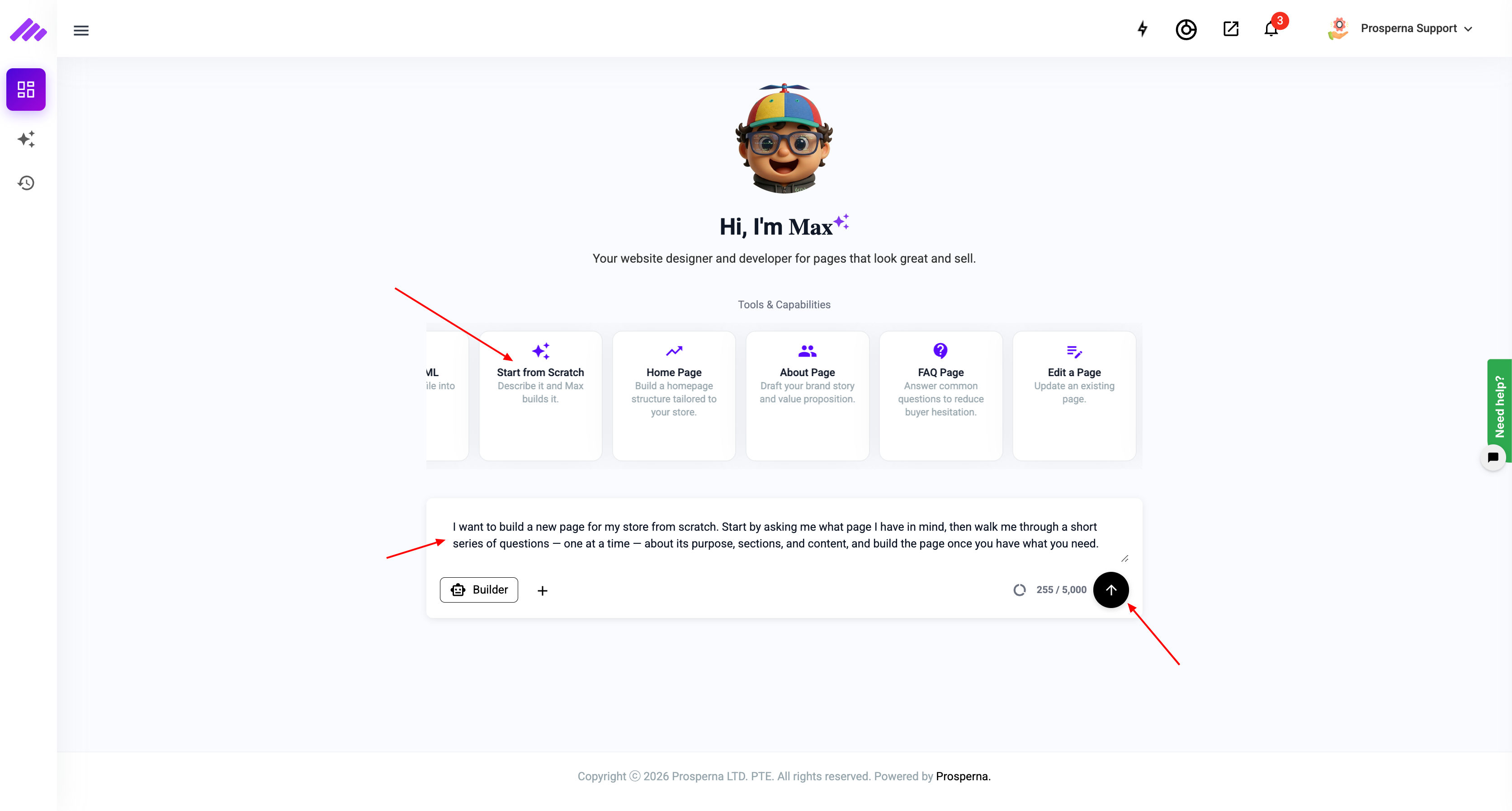
4. Enter your preferred page name.
5. Open the MaxAI Builder chat interface.
6. Describe the page you want to create.
Example requests:
"Create an About Us page for my business."
"Create a contact page with my business information."
"Create a landing page for my upcoming promotion."
"Add a services page with three sections."
7. Wait for MaxAI Builder to generate the page.
8. Review the page design and content in the preview window.
9. Request additional changes if needed.
10. Click Publish to make the page available on your storefront.
Result
A new website page will be created based on your instructions and added to your storefront.
You can continue customizing the page using MaxAI Builder or publish it for your customers to view.
Need more help?
For more information and assistance, please send an email to support@prosperna.com.