

Feature Availability: MaxAI Builder is available for merchants with access to the Website Builder.
MaxAI Builder allows merchants to update their website pages using a conversational AI editor. Instead of manually designing page sections, you can describe the changes you want, and MaxAI will help create or modify your page content and layout.
You can use MaxAI Builder to update:
Page sections
Text content
Images
Layout and spacing
Design elements
Additional content sections
Why is it important?
Your website pages help showcase your products, services, and brand to customers. Keeping your pages updated helps provide a better customer experience and keeps your storefront information relevant.
With MaxAI Builder, you can:
Create new page sections faster
Improve your website layout
Update content without coding
Maintain a consistent website design
Requirements:
You must have access to MaxAI Builder.
Your website must have an existing page available in Website Builder.
You must be logged in to your Prosperna Admin Dashboard.
Summary:
Open MaxAI Builder.
Request your desired page updates.
Review the changes in the preview.
Publish your updated page.
Steps to Edit Your Website Pages Using MaxAI Builder
1. Log in to your Prosperna Admin Dashboard.
2. Go to Website Builder.

3. Select the page you want to edit.
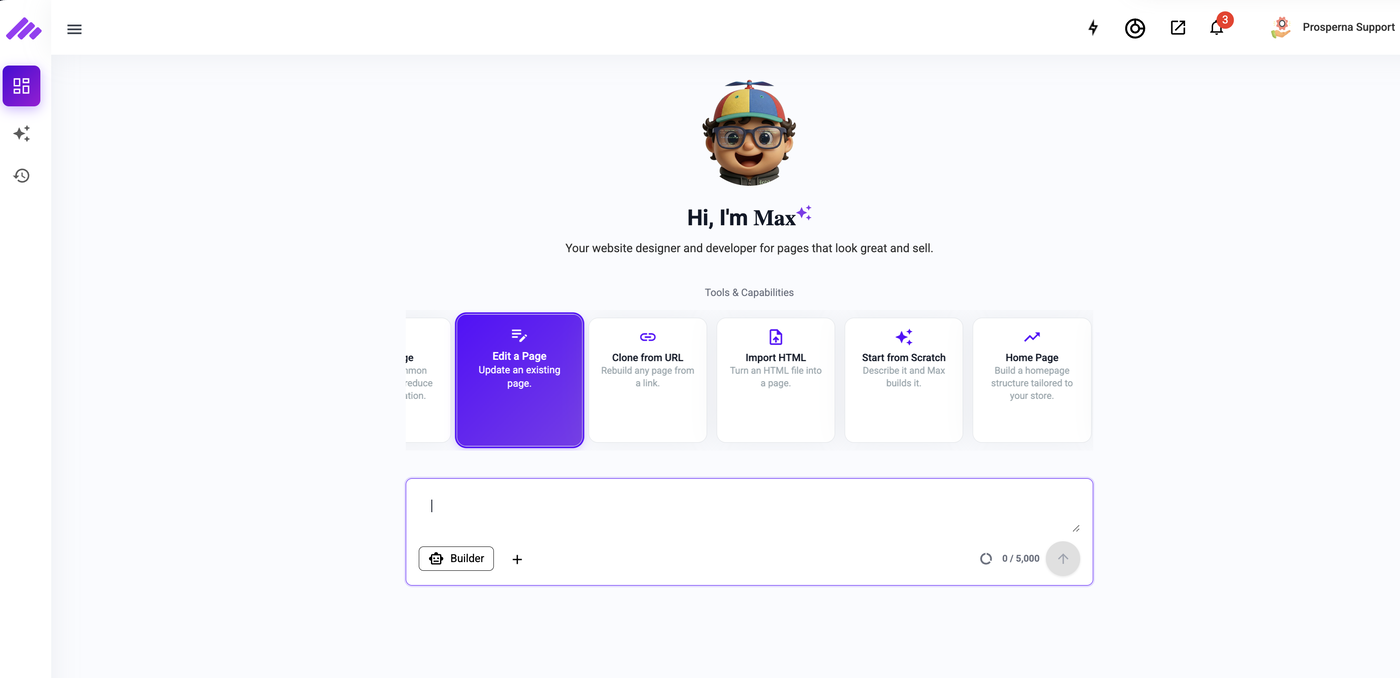
4. Open the MaxAI Builder chat interface.
5. Enter your page customization request.
Example requests:
"Add a testimonials section to this page."
"Change the hero image."
"Make the text larger."
"Add a product showcase section."
"Create a promotional banner section."
"Update the page layout."
6. Wait for MaxAI Builder to process your request.
7. Review the updated page design in the preview window.
8. Continue requesting changes until your page is ready.
9. Click Publish to apply the changes.
Result
Your website page will be updated based on your instructions and displayed in your storefront.
Customers will see the updated page layout, content, and design after publishing.
Need more help?
For more information and assistance, please send an email to support@prosperna.com.