

A Menu Builder in website making refers to a tool or feature that allows you to create and customize the navigation menu for a website. The navigation menu is an essential element of a website's user interface, as it helps visitors easily find and access different pages or sections of the site. A menu builder simplifies the process of designing and arranging the menu items on your website.
Why is it important? A menu builder simplifies the process of creating an effective and visually appealing navigation menu for your website, enhancing the user experience and making it easier for visitors to navigate your site's content.
Requirements:
Prosperna Paid plan
Design Plan
Images, videos, and write ups.
This is applicable for both Primary and Secondary Menu
Summary:
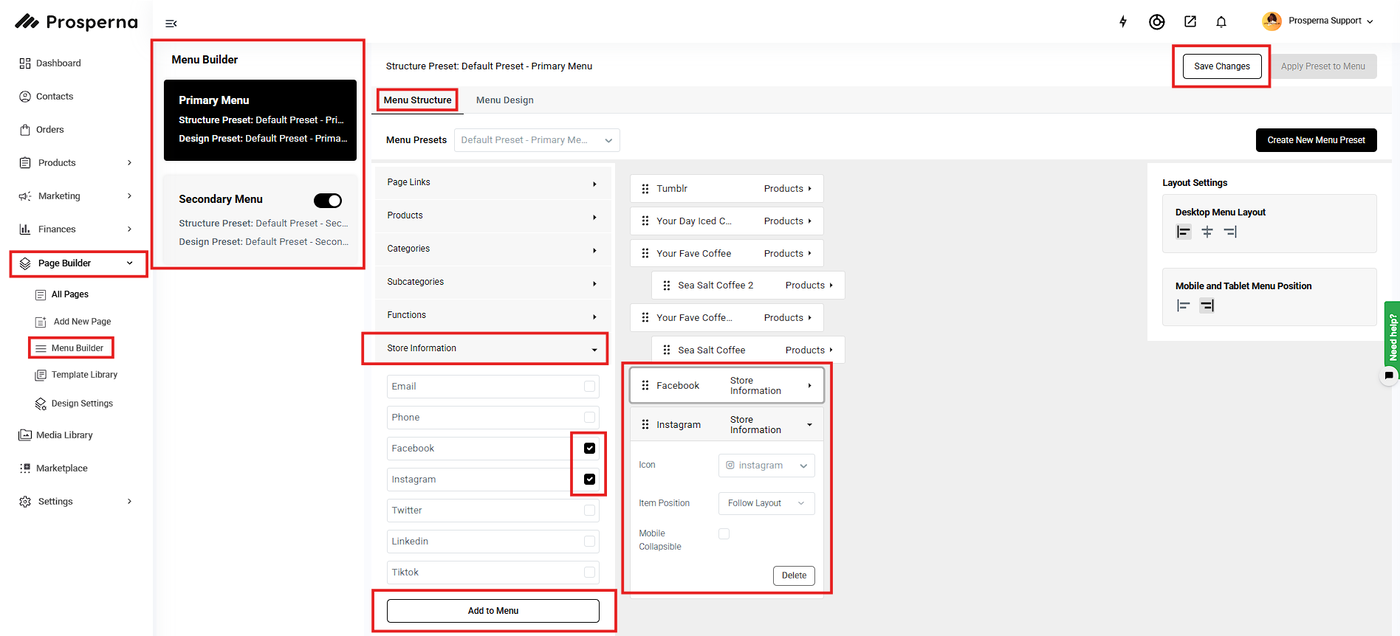
Go to Page Builder, select Menu Builder
You can either select Primary or Secondary Menu
Go to Menu Structure
Click Store Information
Check the Store Information items you want to add to your menu
Click Add to Menu
To rearrange the items just simply drag and drop
Click Save Changes
Steps on Adding Store Information in the Menu Builder
1. Go to Page Builder, select Menu Builder.
2. You can either select Primary or Secondary Menu.
3. Go to Menu Structure.
4. Click Store Information.
5. Check the Store Information items you want to add to your menu.
6. Click Add to Menu.
7. To rearrange the items just simply drag and drop.
8. Click Save Changes.
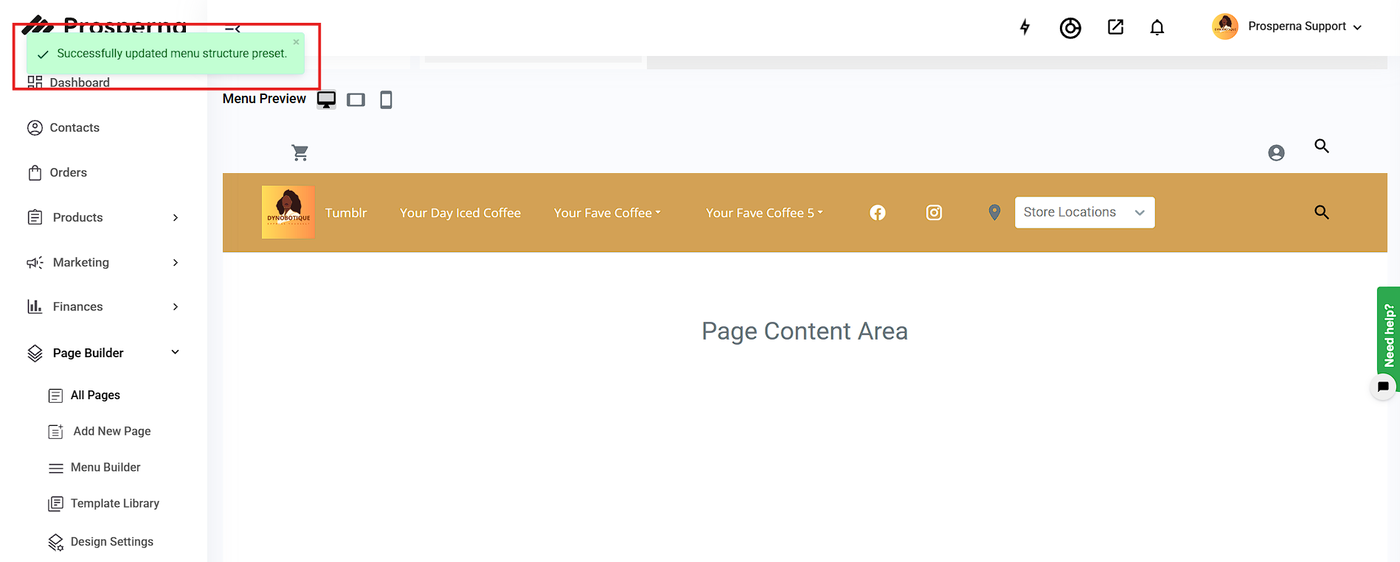
Result: You have successfully added Store Information in your secondary menu.
Need more help?
For more information and assistance, please send an email to support@prosperna.com.