

The Page Builder is an incredibly user-friendly tool that empowers you to effortlessly edit and customize your website pages, all without the need for coding expertise. With its intuitive drag-and-drop interface, creating stunning web pages has never been easier. Whether you're a seasoned developer or a beginner, this powerful tool allows you to take complete control over the design and layout of your website.
Why is it important? The Page Builder allows you to edit and customize your website pages without coding brings accessibility, speed, control, and flexibility to the website creation process, allowing you to create beautiful and functional websites with ease.
Requirements:
Prosperna Paid plan
Design Plan
Images, videos, and write ups.
Summary:
Go to the Page you're editing
Drag a Section anywhere to your Page
Drag a Row / Column to the Section
Drag the Element Contact Us
Set Email SMTP Settings
Go back to the Page you're editing, then click Save Draft then Publish
Steps in Adding a Contact Form
1. Go to the Page you're editing.
2. Drag a Section anywhere to your Page
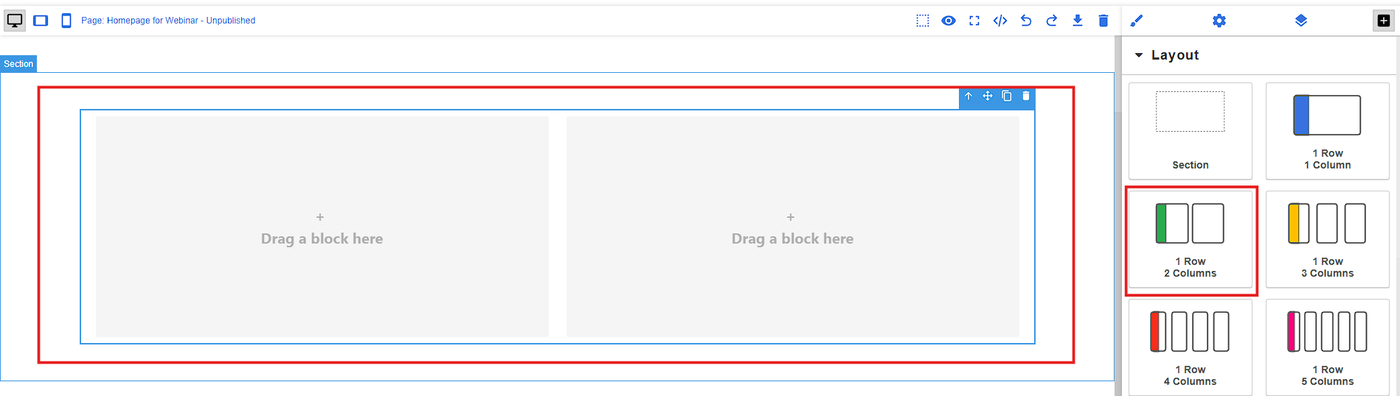
3. Drag a Row / Column to the Section
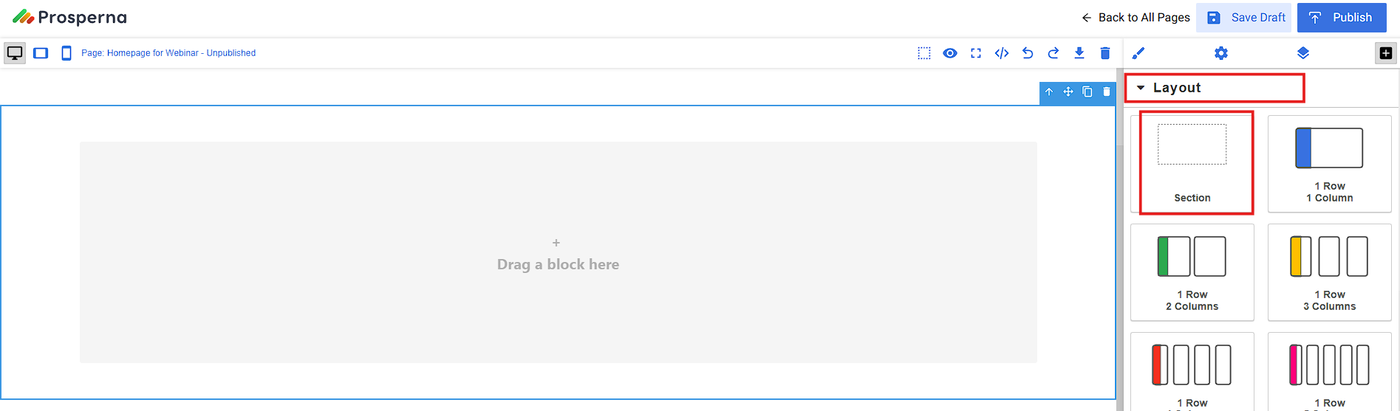
Note: After adding section, always add row/column.
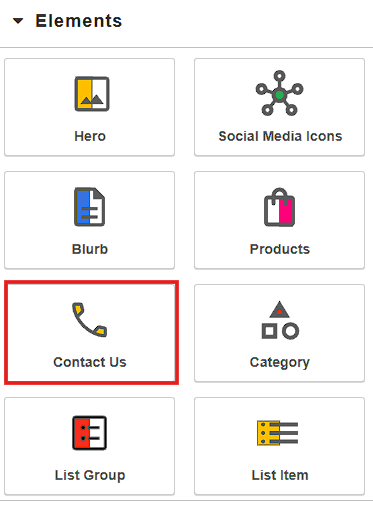
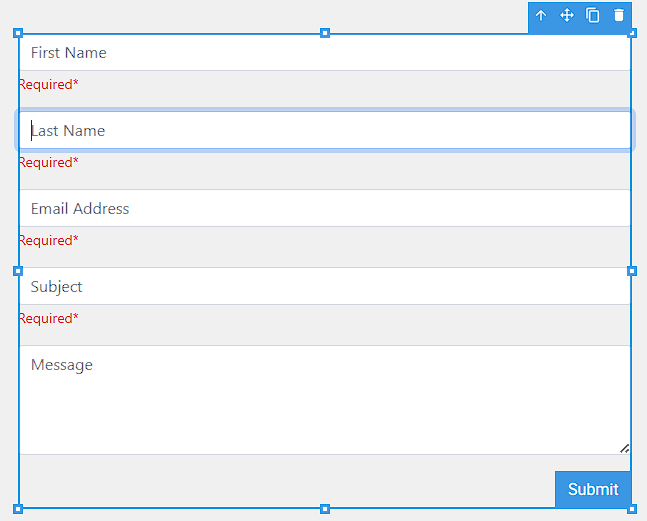
4. Drag the Element Contact Us.
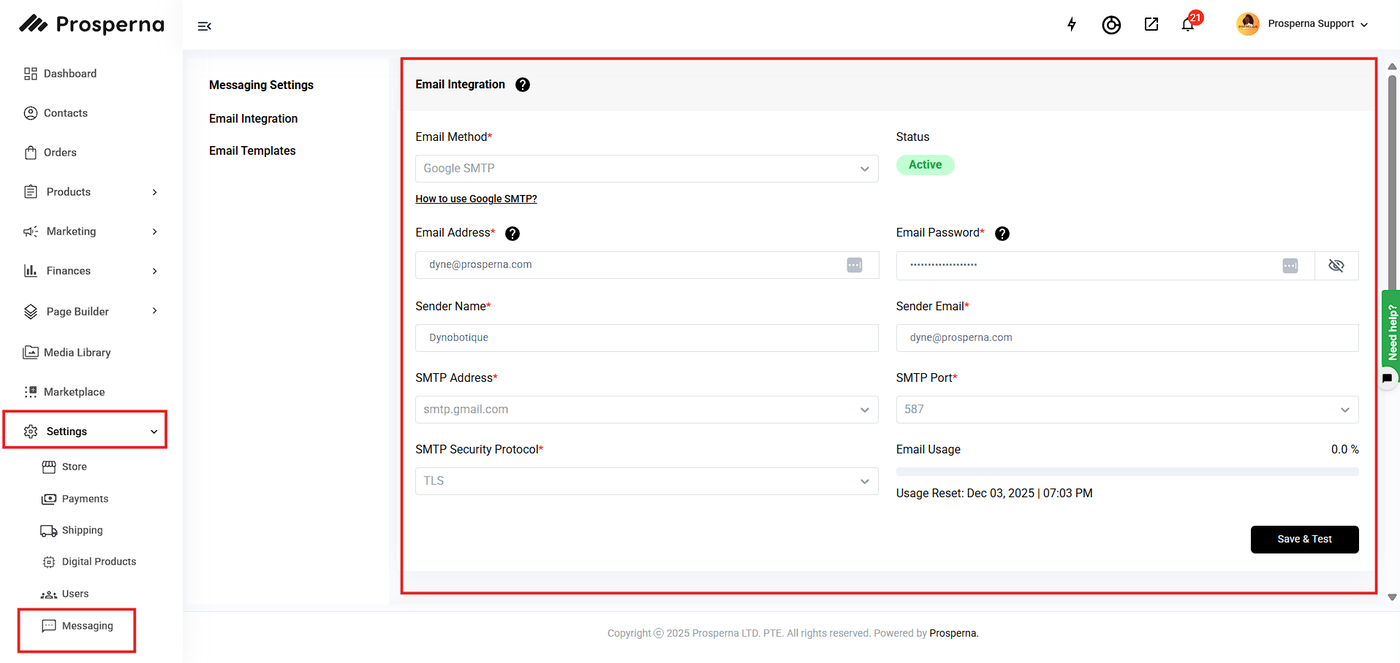
5. Set Email SMTP Settings
Go to Settings and click Messaging.
Complete the Fields.
Click Save & Test.
6. Go back to the Page you're editing, then click Save Draft then Publish

Result: You have successfully added a Contact Form in your webpage

Need more help?
For more information and assistance, please send an email to support@prosperna.com.