

Skill Level: Beginner | Advanced | Expert
Summary:
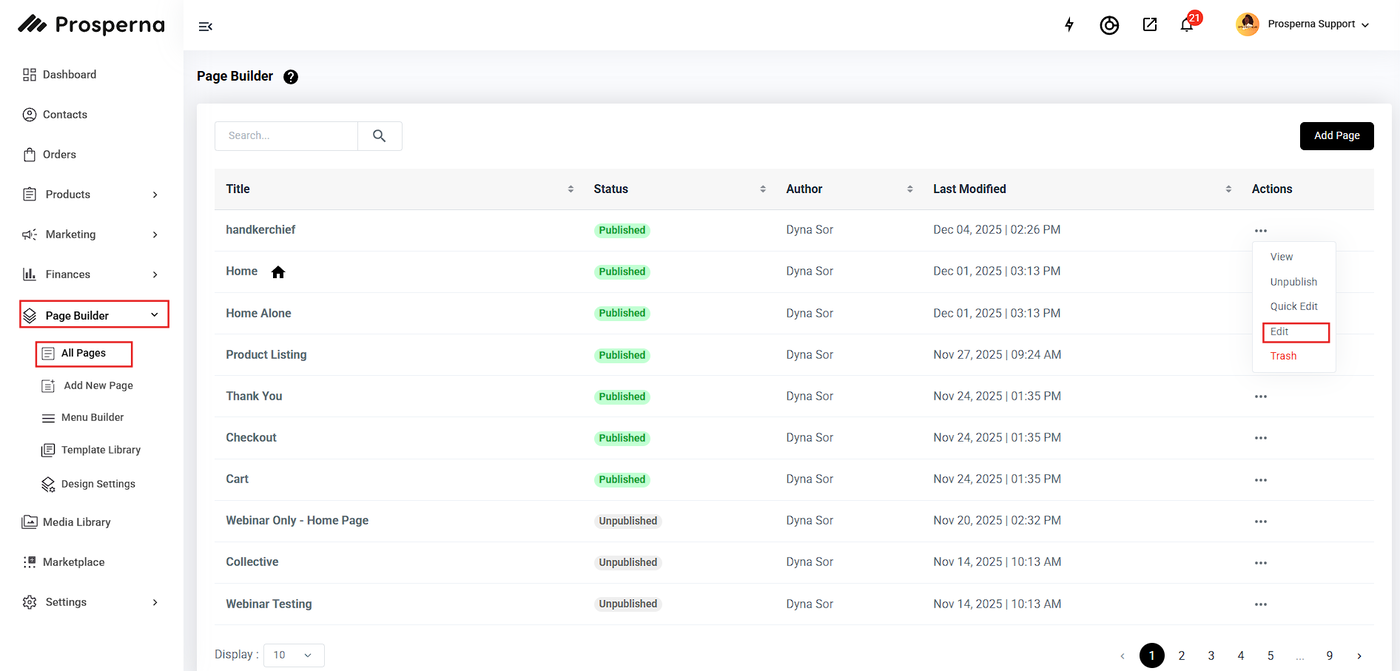
Go to Page Builder
Click All pages
Click on the three dots on the left slide
If you will edit your page, click Edit
Once you are in the page builder, click on Save as Draft
Click Publish on the right side
How Save a Page as a Draft and Publish
1. Go to Page Builder
2. Click All pages
3. Click on the three dots on the left side:
For Page Builder - Click on Edit
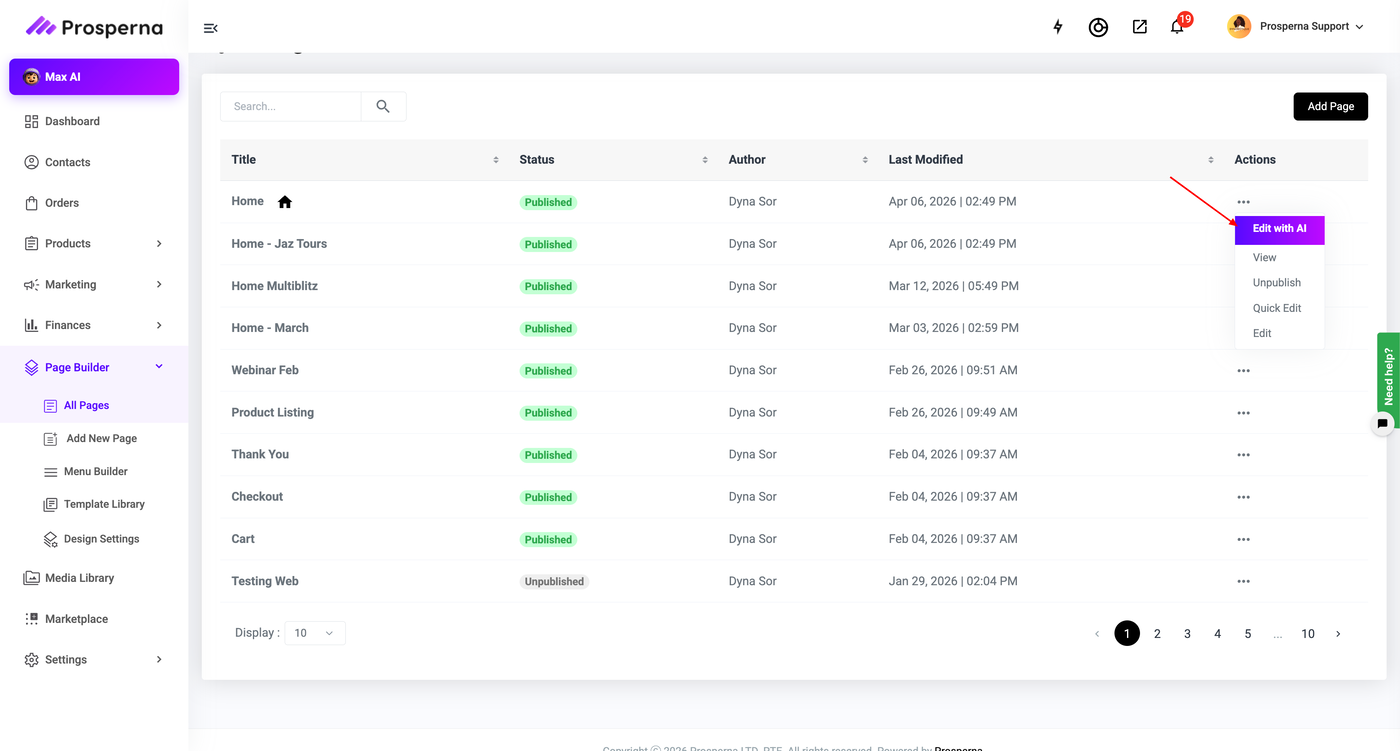
For AI Builder - Click on Edit with AI
4. Once you are in the page builder, click on Save as Draft.

5. Click Publish on the right side.

For AI Builder

Need more help?
For more information and assistance, please send an email to support@prosperna.com.