

Having pre-design pages help Prosperna customers to easily start and use their online stores
Why is it important? Pre-designed pages help customers start selling their products faster and accommodate customers
Summary
Go to Page Builder
Click All Pages
Go to Each page
Click View
Fill out
How to Access Pre-designed Pages
1. Go to Page Builder
2. Click All Pages
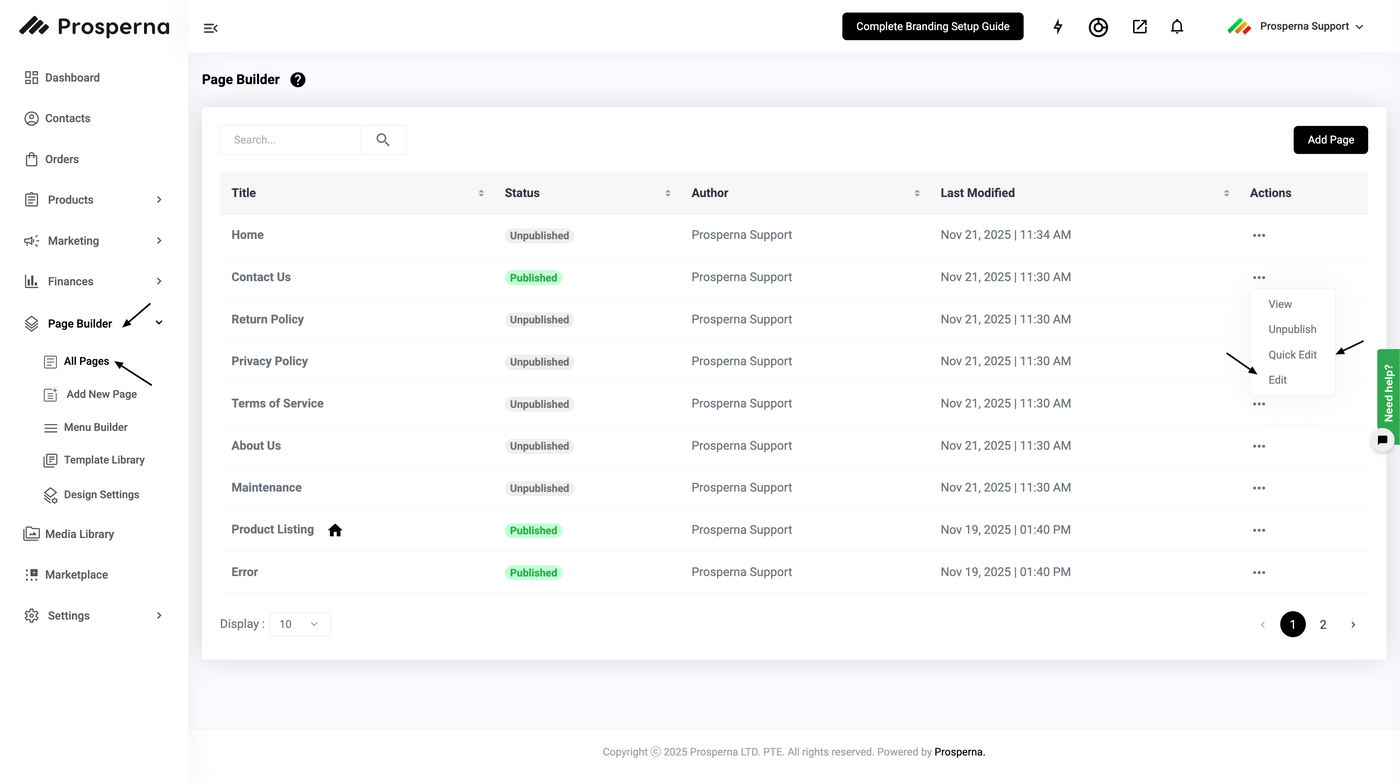
3. Go to Each page
4. Click View or Edit, if needed
Pages Available:
1. Error

2. Thank You

3. Check out

4. Products

5. Cart

Need more help?
For more information and assistance, please send an email to support@prosperna.com.