

Feature Availability: ALL PLANS
Having an online store is about placing your business out for the world to see and shop and buy products from you from anywhere at anytime.
Why is it important? Offer convenience for customers by saving their time and effort to purchase from you. Even better, since the Prosperna online store catalog is digital, they can easily search for a variety of products while still getting all the relevant information they need to know to make a purchase.
Skill Level: Beginner | Advanced | Expert
How long does it take to do? 5 Minutes
Requirements:
Product Video
Video Link
Vimeo Link
Youtube Link
Summary
Go to Products and select Inventory.
Click the 3 dots under actions, then select Edit
Go to Featured Video, Click Add New Video
Choose either Video URL or Choose from Media Gallery
Save.
Steps to Add Video in Products
1.Go to Products and select Inventory.
2.Click the 3 dots under actions, then select Edit
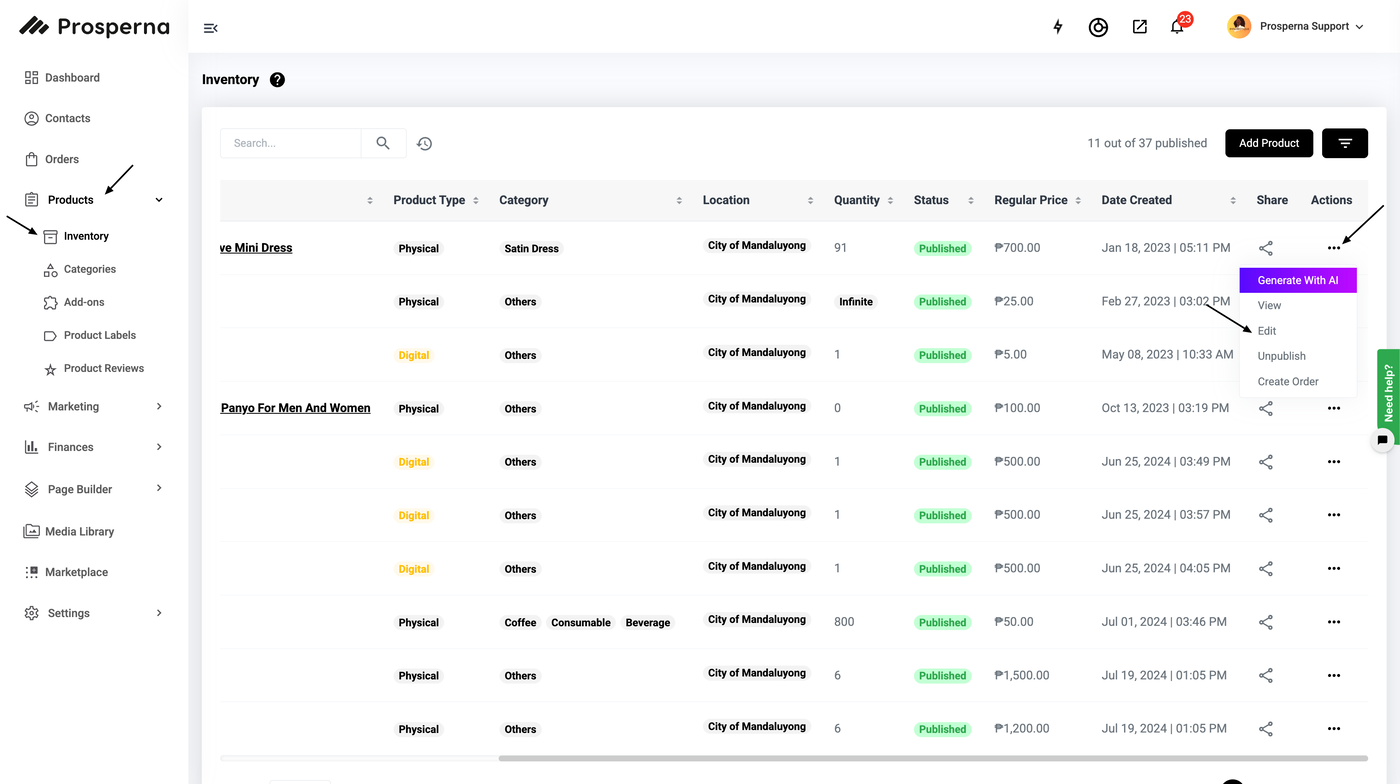
3.Go to Featured Video, Click Add New Video
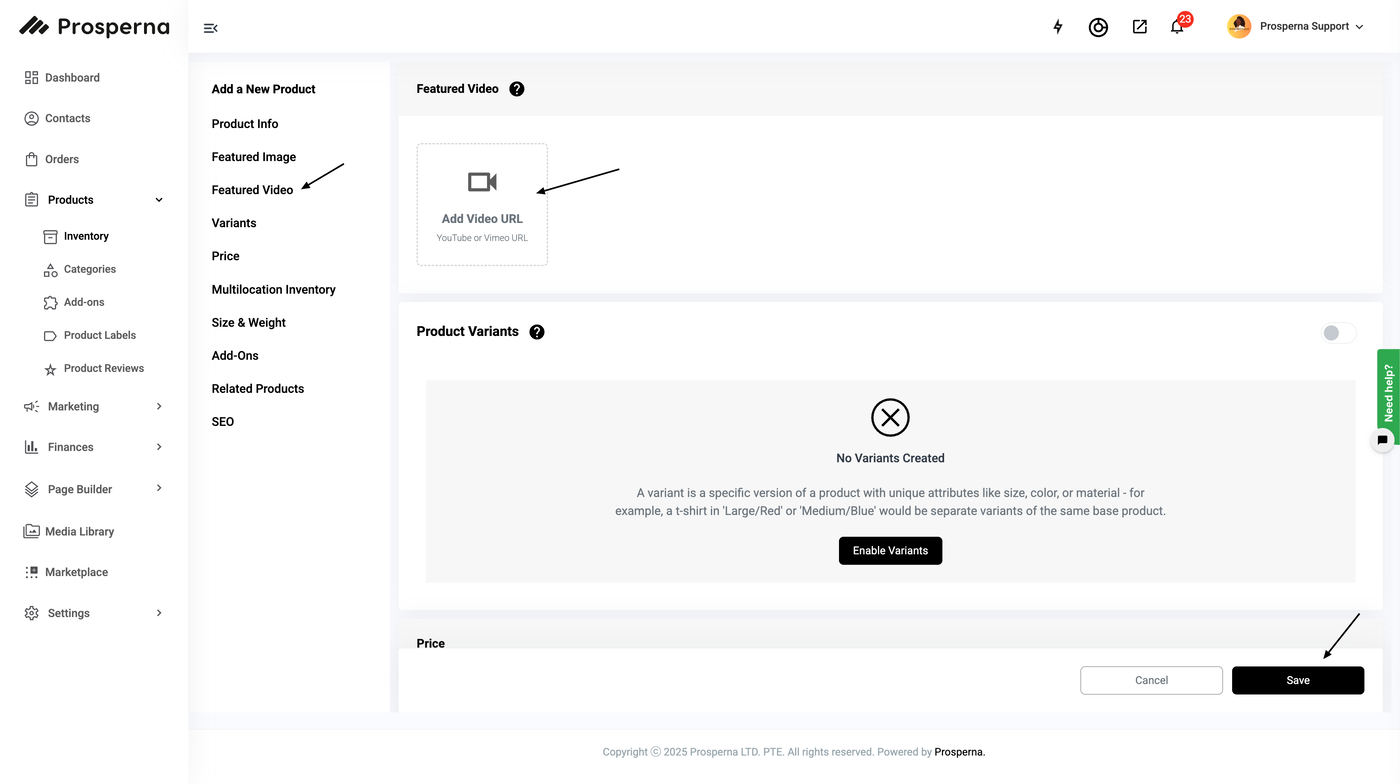
4.Choose either Video URL or Choose from Media Gallery
For Video URL:
a. Click Video URL
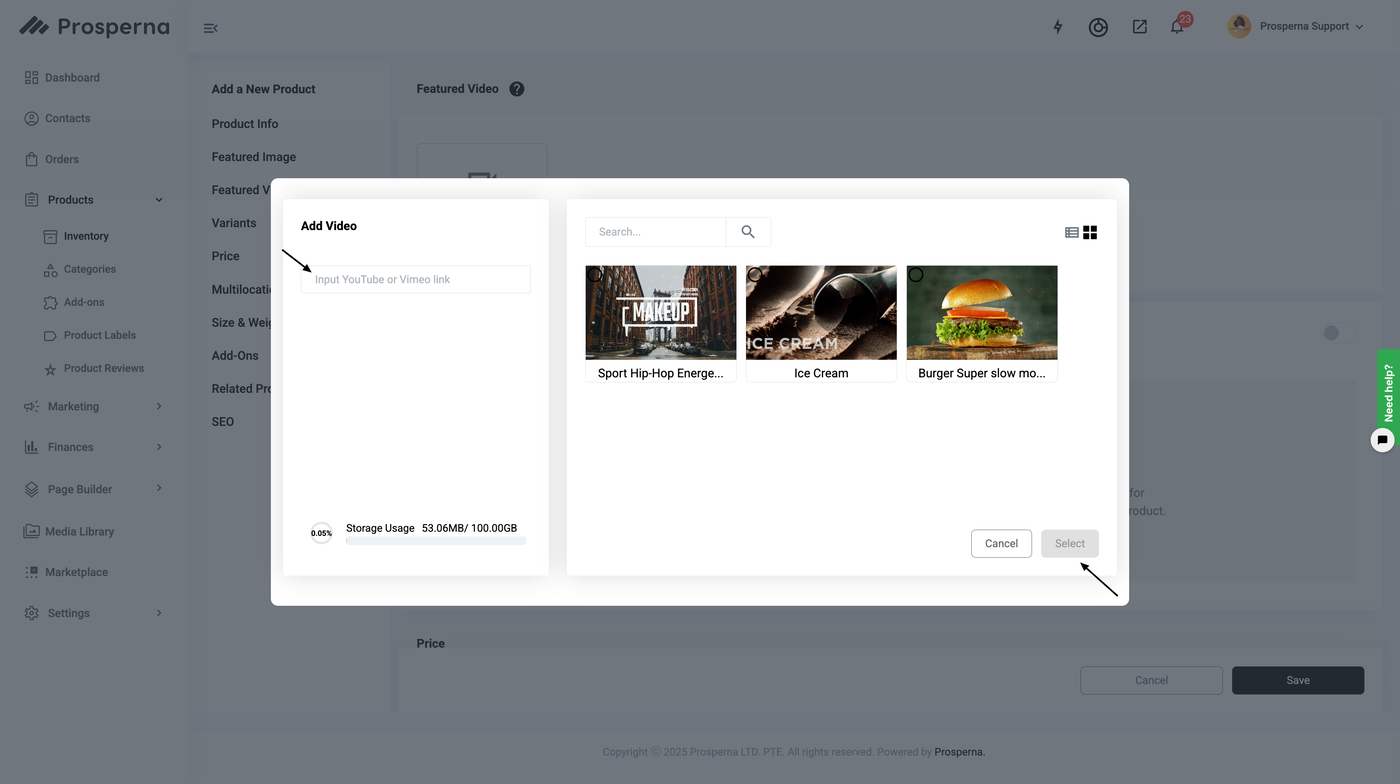
b. Paste Video Link, click search
c. Click Add Video and Upload Video in the Media Library
5.Save.
RESULT: You have successfully added a video to your Product

Need more help?
For more information and assistance, please send an email to support@prosperna.com.