

Feature Availability: ALL PLANS
Having an online store is about placing your business out for the world to see and shop. With eCommerce becoming the norm, it's imperative that merchants sell both online and offline.
Why is it important? Offer convenience for customers by saving their time and effort to purchase from you. Even better, since the catalog is digital, they can easily search for a variety of products while still getting all the relevant information they need to know about it.
Skill Level: Beginner | Advanced | Expert
How long does it take to do? 2 Minutes
Requirements:
Main Category Image
Main Category Name
Sub-categories Name
Summary
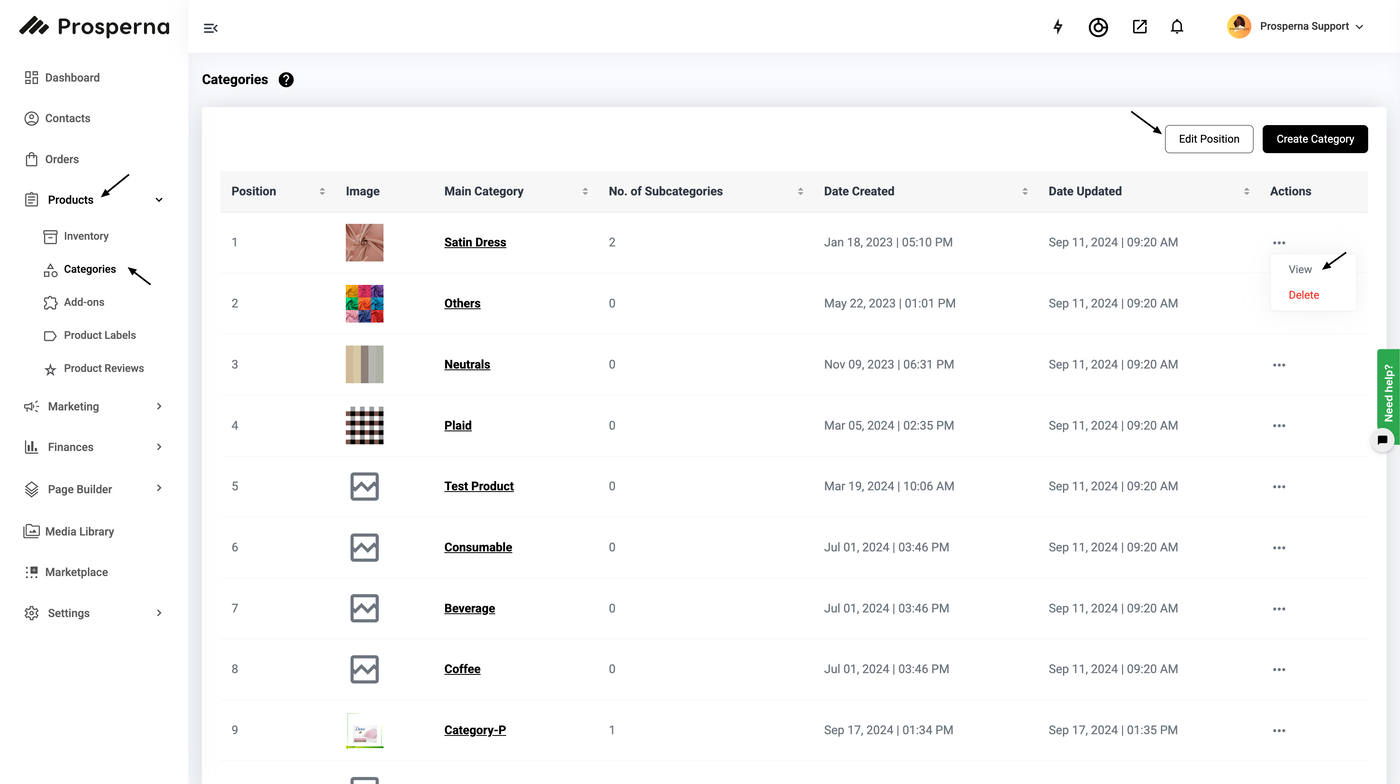
Go to Products, select Categories
Under Actions, click View
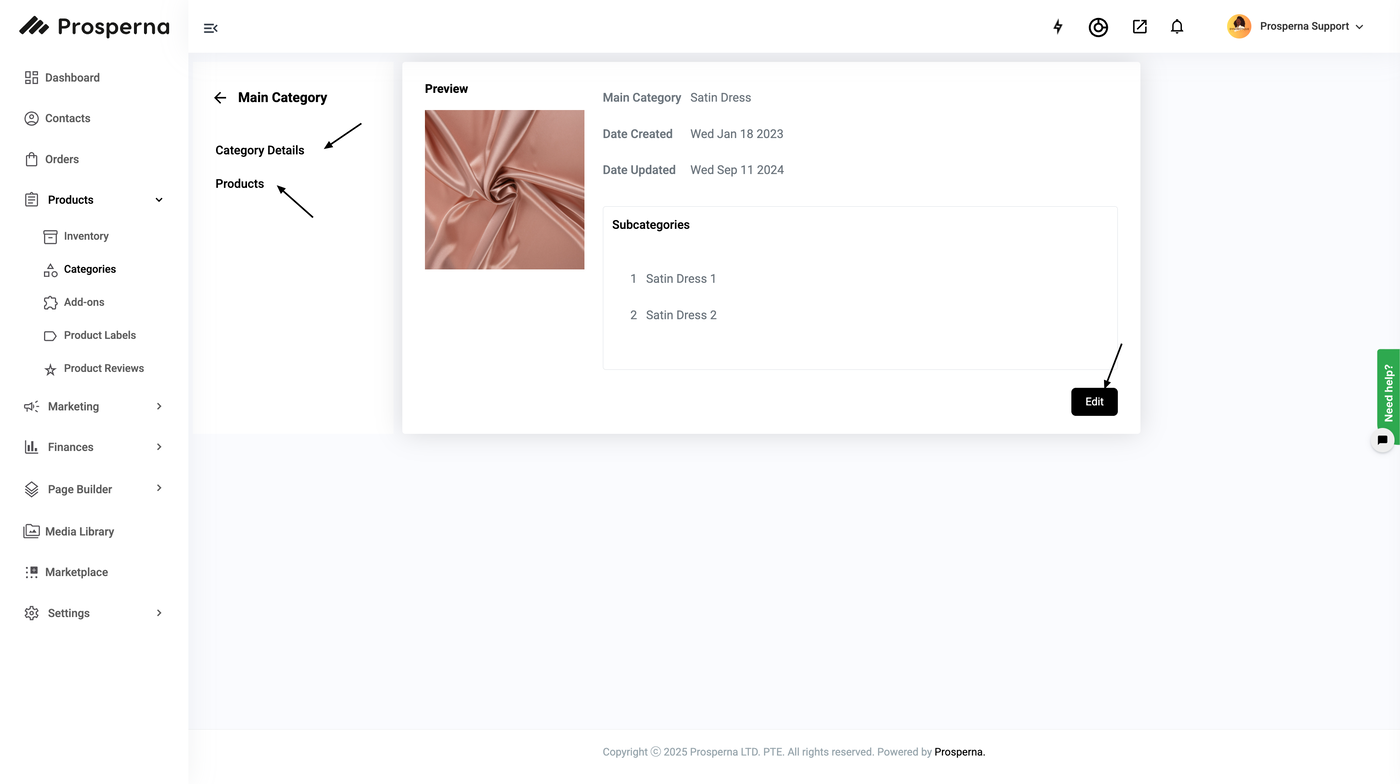
Click Edit
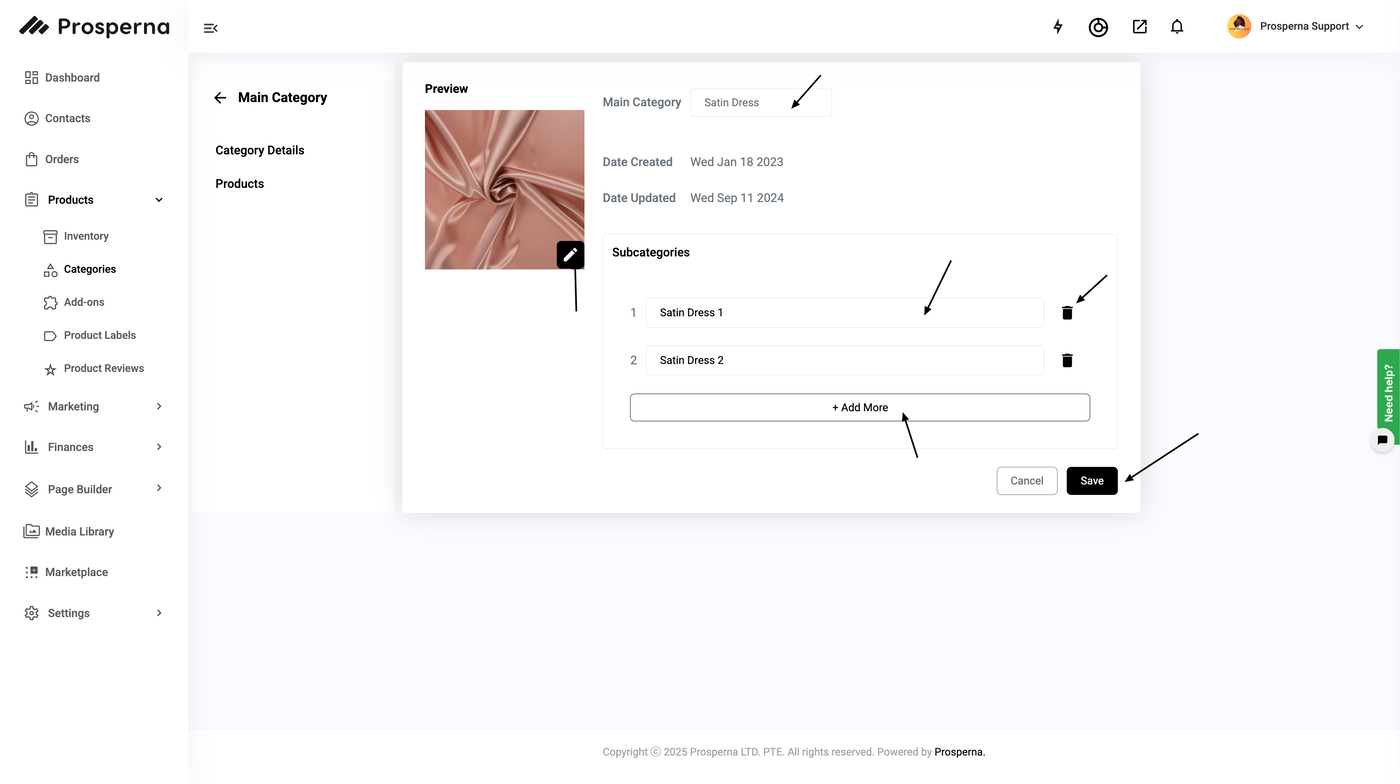
Update Category Information
Click Save
Steps to Edit Categories
1. Go to Products, select Categories
2. Under Actions, click View
3. Click Edit
4. Update Information
To edit the Category Name, type in the Main Category Field.
To edit the Category Photo, click the pen icon on the lower right of the image.
Upload your Category Image then click Apply
To edit the Subcategory Name, type in the SubCategories Field.
You may also add/ delete subcategories.
5. Click Save
Result: You have successfully edited your Category.
Need more help?
For more information and assistance, please send an email to support@prosperna.com.