

Hiding product sizes and weight can serve various strategic purposes across different contexts but requires careful consideration to avoid negative impacts on customer satisfaction and compliance with regulations.
Why is it important? Improves the user experience. Hiding product sizes and weights can improve the visual appeal of the product listings, making them cleaner and less cluttered. By not disclosing specific dimensions and weights, companies can make it harder for competitors to replicate their products exactly.
Skill Level: Beginner | Advanced | Expert
How long does it take to do? 2 Minutes
Requirements:
Uploaded Product Image / Video
Product Details
Summary
Hide Product Sizes and Weight for All Products
Go to Settings
Select Store
Under Page Settings, Select the Single Product
Go to Single Product Page Settings
Toggle the Hide Product Sizes and Weight for all products
Hide Product Sizes and Weight for Specific Products
Go to Inventory
Select Specific Product
Go to Variants
Steps to Hide Product Sizes and Weight for All Products
1. Go to Settings and Select Store
2. Under Page Settings, Select the Single Product
3. Go to Single Product Page Settings and Toggle the Hide Product Sizes and Weight for all products
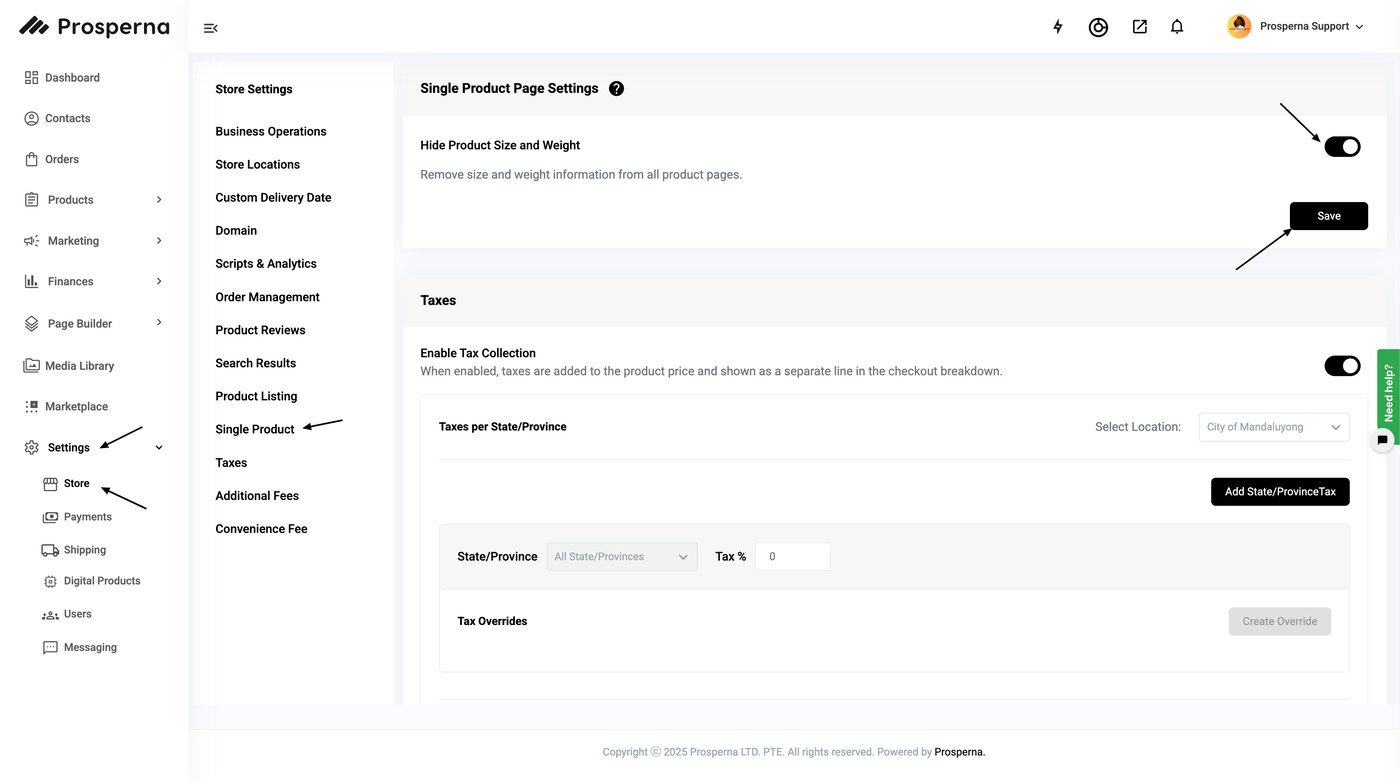
4. Save
5. Then you will see that all your products sizes and weight are all hidden in the product page.
Steps to Hide Product Sizes and Weight for Specific Product
1. Go to Inventory.
2. Select Specific Product.
3. Go to Size & Weight and Toggle the Hide Product Size and Weight button.
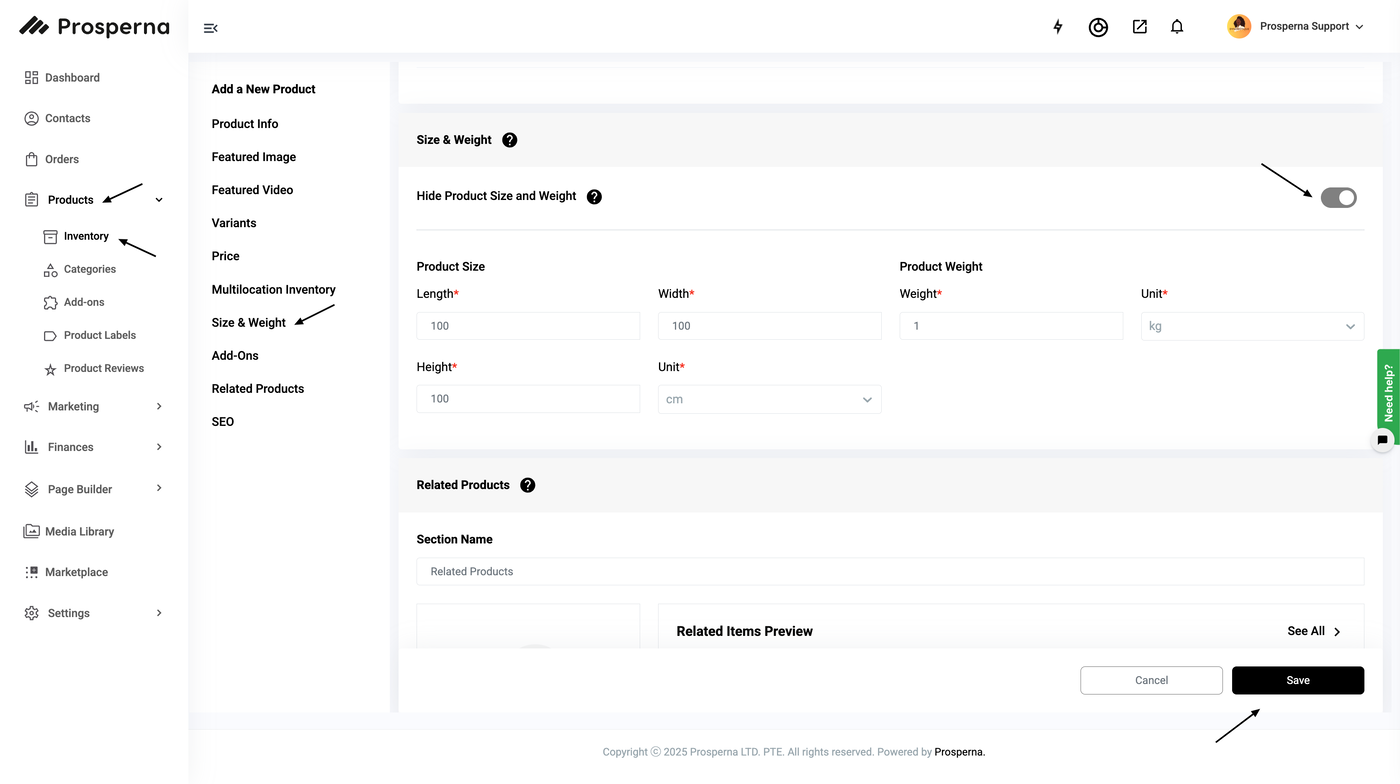
4. Save.
Result: Then you will no longer see the sizes and weight for the specific product.
Note:
If Hide Size and Weight for ALL Products is ON, this setting for INDIVIDUAL products will NOT be editable (clickable) as ALL products will follow this setting.
If the Hide Size and Weight for ALL Products is disabled (OFF), you can edit the hide size and weight setting for each of their products.
All products are still required to have their product’s size and weight.
Need more help?
For more information and assistance, please send an email to support@prosperna.com.