

Feature Availability: ALL PLANS
Make your product visible to customers by adding it to your online store. Once published, it will appear in your storefront and be available for purchase.
Why is it important? Publishing a product makes it available for customers to view and buy. It ensures your items are visible on your store, helping you attract sales, promote new arrivals, and manage inventory effectively.
Skill Level: Beginner | Advanced | Expert
How long does it take to do? 2 Minutes
Requirements:
Existing uploaded product
Summary:
Go to Products and select Inventory.
Select the unpublished product, click the three dots under Actions, and then select Publish.
Select Filter
Steps on How to Publish a Product
1. Go to Products and select Inventory.
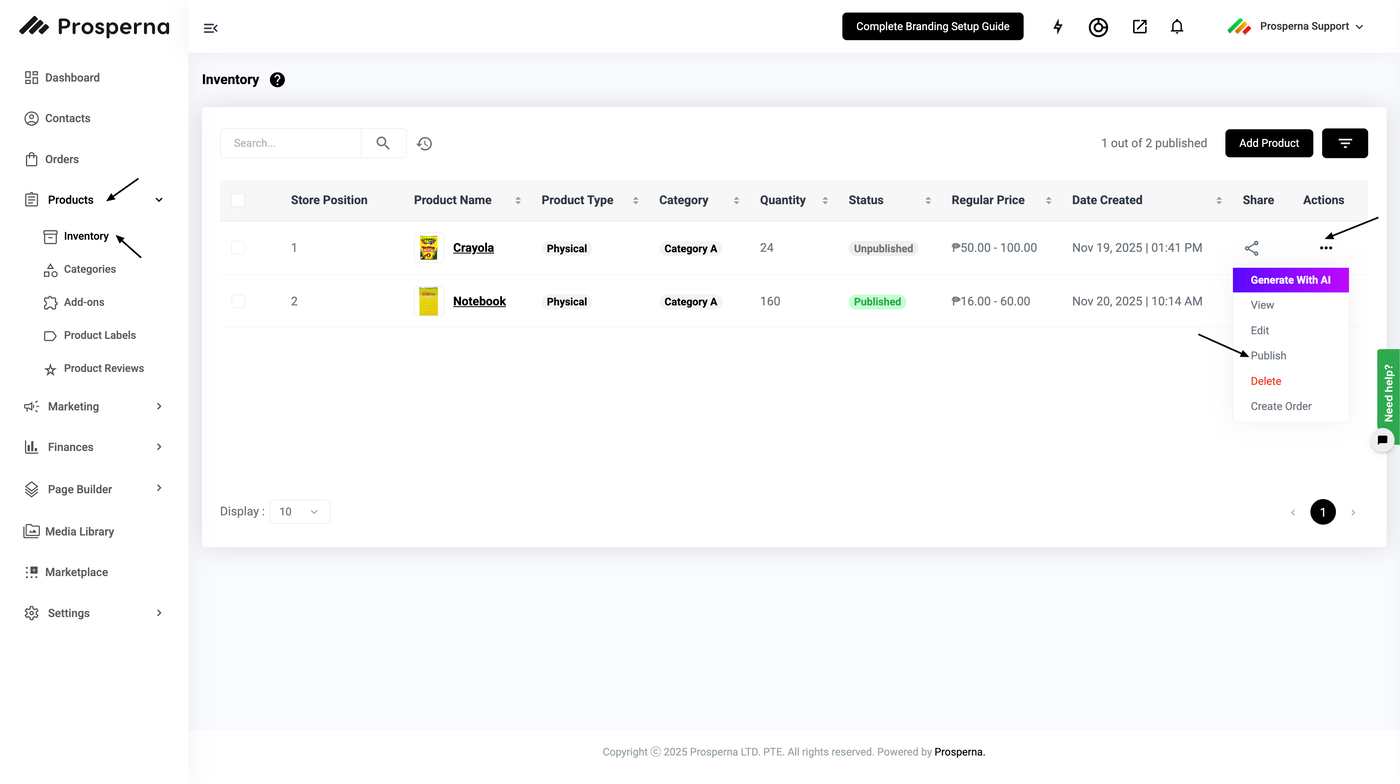
2. Select the unpublished product, click the three dots under Actions, and then select Publish.
3. Select Filter.
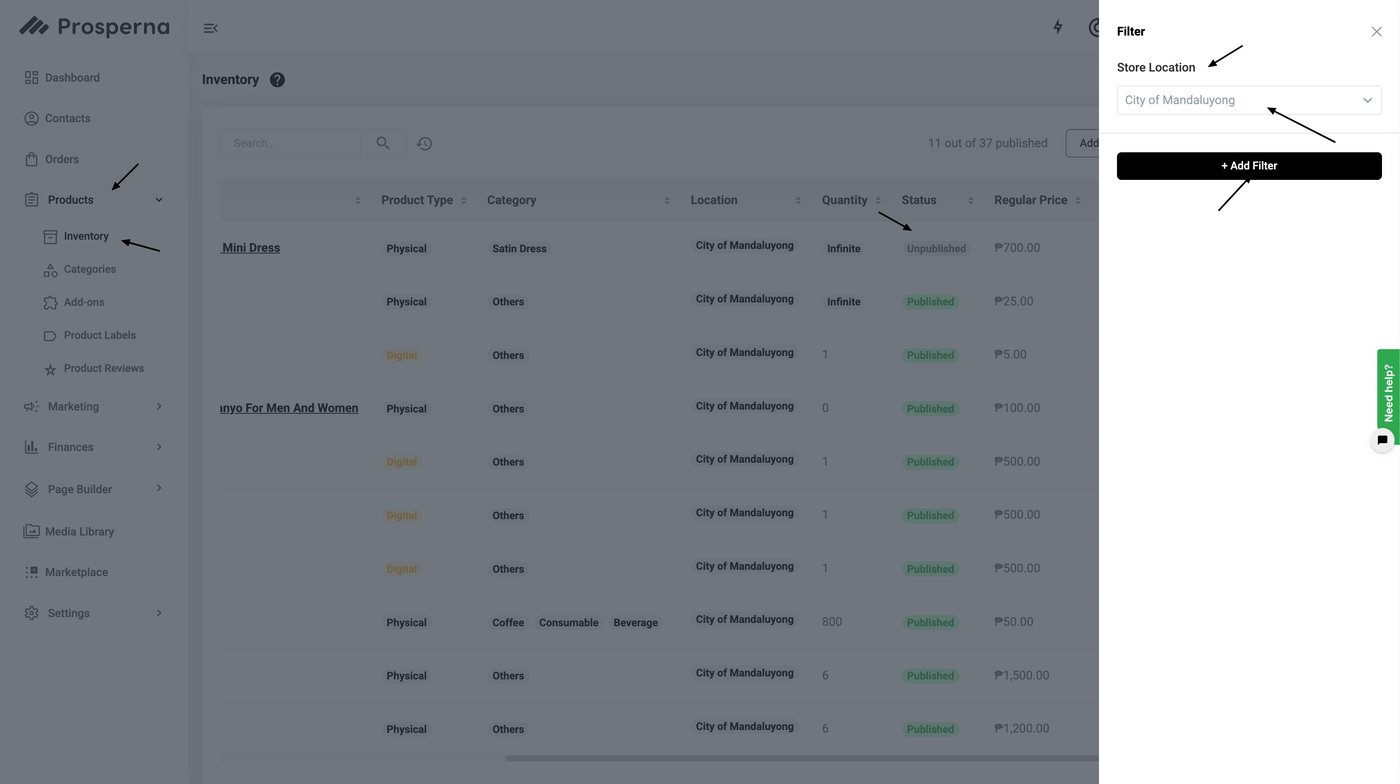
In a multi-location store setup, products behave as follows:
When a product is unpublished or removed from a store assignment, it will no longer be visible in that store.
The product will only appear again once it is reassigned to that store.
Unpublished products are treated as unlisted.
Any product assigned to a store is automatically considered a published product for that specific store.”
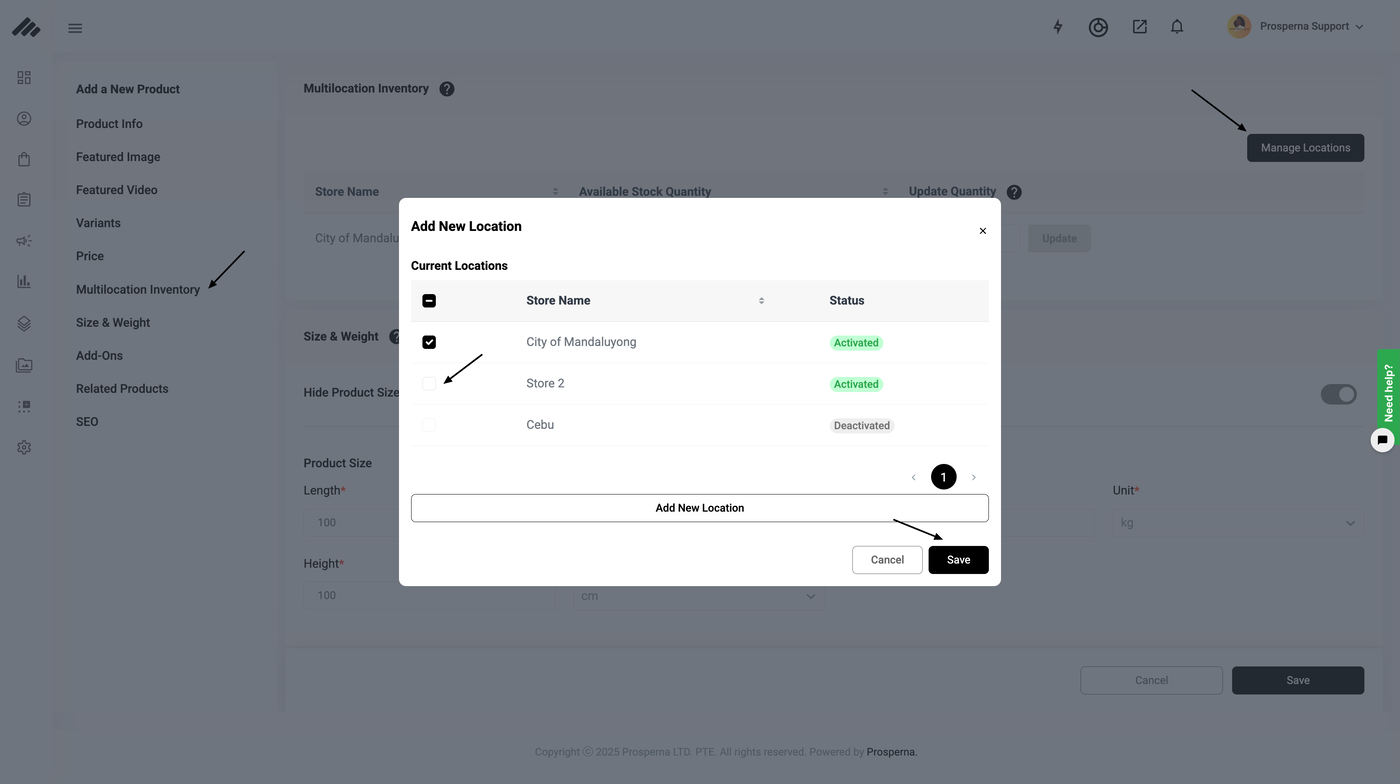
Result: You have successfully published the unpublished product.
Need more help?
For more information and assistance, please send an email to support@prosperna.com.