

Introducing a new feature for paid subscribers in the Inventory module! Now you can manually add products and showcase related items directly on each product’s Single Product page.
Why is it important? The Related Products Feature enhances your customer’s shopping experience by easily linking complementary products and boosting cross-sell opportunities. This feature allows for more dynamic and relevant product displays, tailored to your inventory and customer needs.
Skill Level: Beginner | Advanced | Expert
How long does it take to do? 5 Minutes
Requirements:
Published Products
Summary
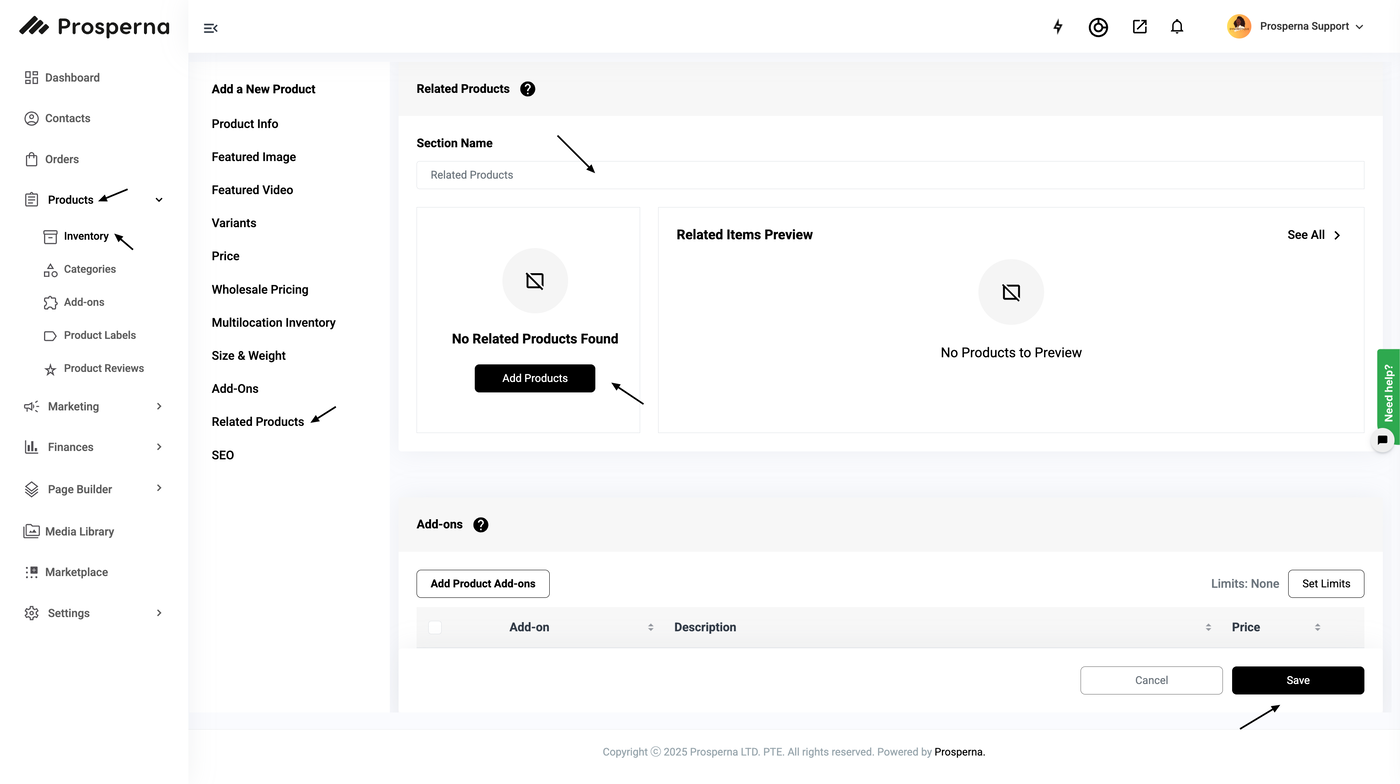
Go to Products and select Inventory.
Click the 3 dots under actions, then select Edit
Go to Related Products
Click Add Products
Select the Related Products, then click Add Products
Click Save
Steps to Add Related Products
1.Go to Products and select Inventory.
2.Click the 3 dots under actions, then select Edit
3.Go to Related Products
4. Click Add Products
5. Select the Related Products, then click Add Products
6. Click Save
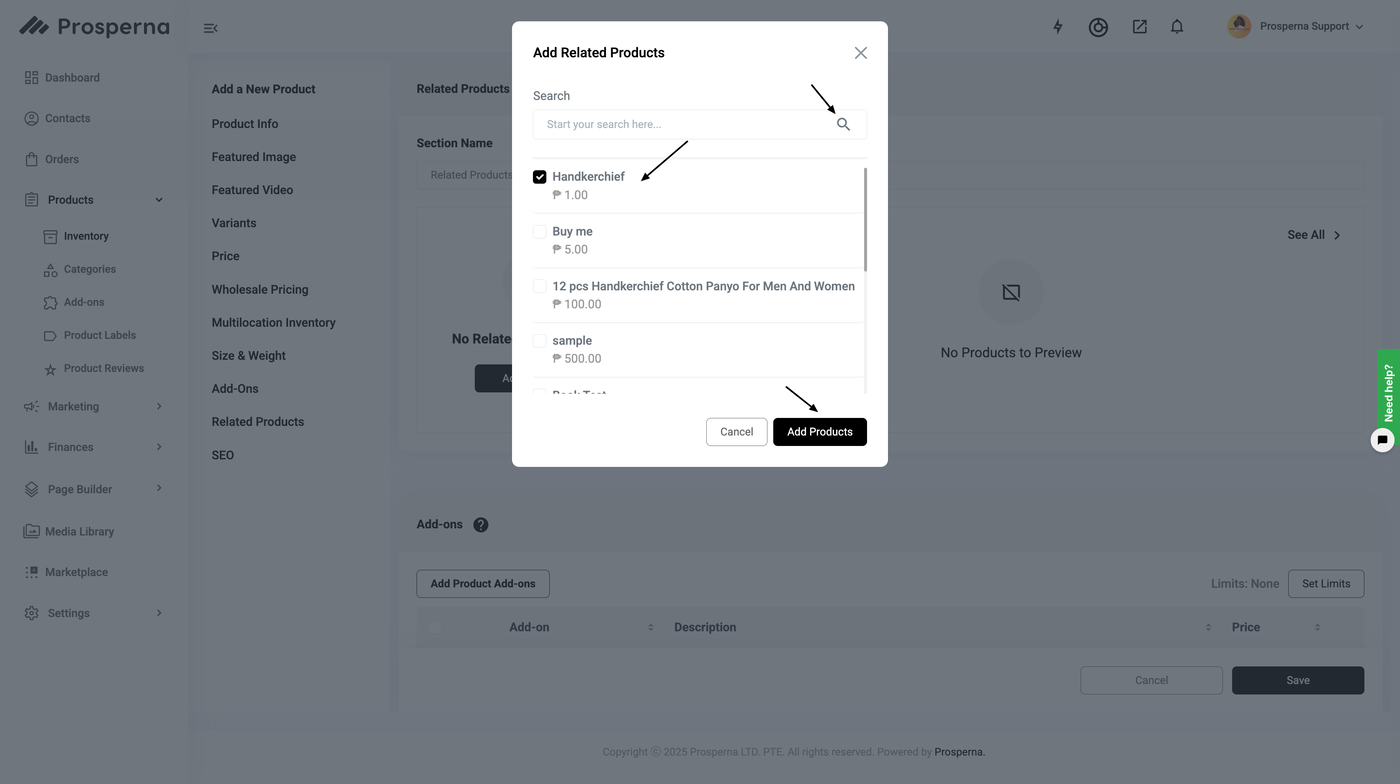
RESULT: You have successfully added a related product
Need more help?
For more information and assistance, please send an email to support@prosperna.com.