

Learn how to use Custom Delivery Date with Manual Shipping by Merchant and disable Lalamove Scheduled Delivery if you don't offer it.
Why is it important? Some merchants don’t use Lalamove but still want to offer custom delivery dates. With this update, you can now disable Lalamove Scheduled Delivery while keeping Custom Delivery Date active—allowing customers to choose their delivery date using Manual Shipping by Merchant only.
Skill Level: Beginner | Advanced | Expert
How long does it take to do? 5 Minutes
Requirements:
Pickup Address
myPay activated account
Upgraded Plan
Summary:
Go to Shipping.
Enable Custom Delivery Date.
Turn Off Scheduled Delivery (Optional).
Verify Manual Shipping by Merchant Settings
Scenario | Checkout Behavior |
|---|---|
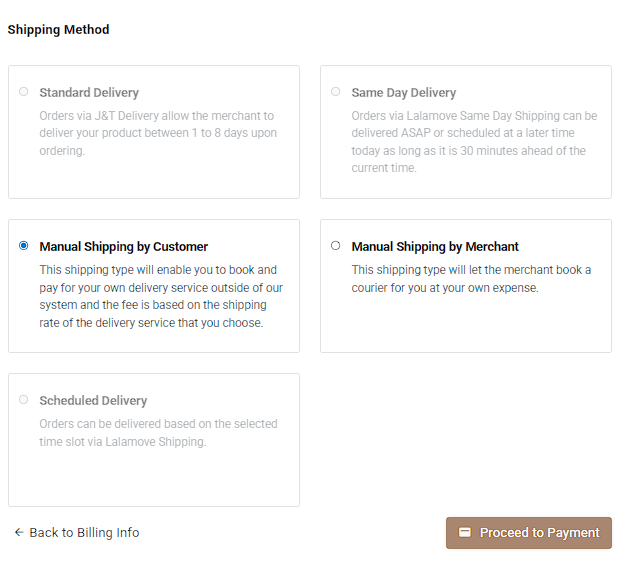
CDD ON + Scheduled Delivery OFF | Only Manual Shipping by Merchant appears with a Delivery Date field. |
CDD ON + Scheduled Delivery ON | Both Manual Shipping and Scheduled Delivery (Lalamove) appear. |
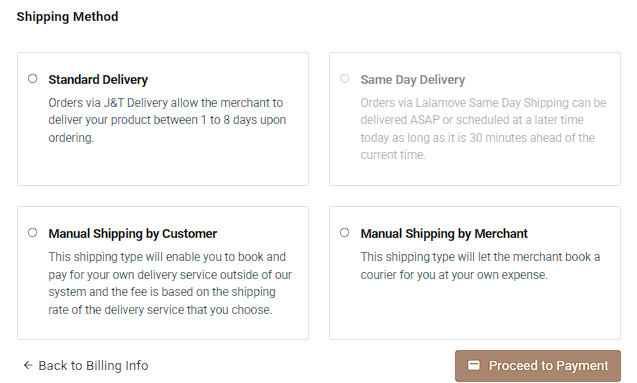
CDD OFF | No Delivery Date field is shown. |
Steps How to Enable Custom Delivery for Manual Shipping by the Merchant
1. Go to Shipping.
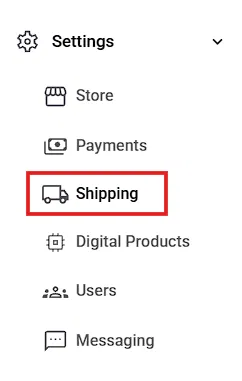
Ensure Manual Shipping by Merchant is enabled.

2. Enable Custom Delivery Date.
Go to Settings → Store Settings → Custom Delivery Date.
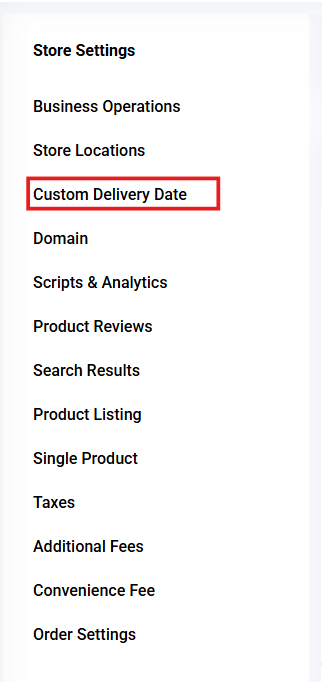
Turn on the toggle to enable CDD.


This will activate the CDD feature without affecting your scheduled delivery settings.
3. Turn Off Scheduled Delivery (Optional).
If you do not offer Lalamove:
Go to Settings → Shipping.
Find Scheduled Delivery (Lalamove). Turn the toggle off.
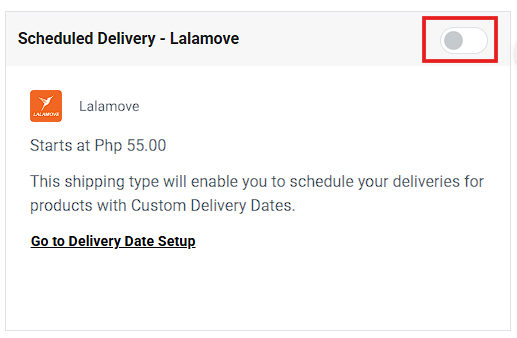
This will hide Scheduled Delivery from checkout while keeping CDD active.
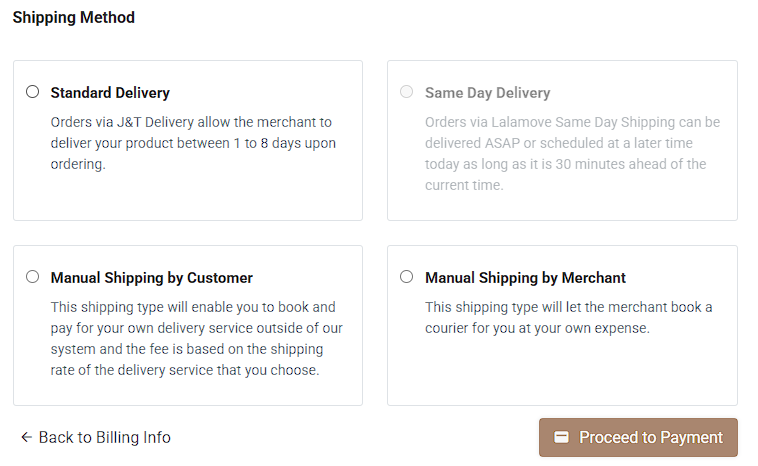
4. Verify Manual Shipping by Merchant Settings
Under Manual Shipping by Merchant, click Manage.
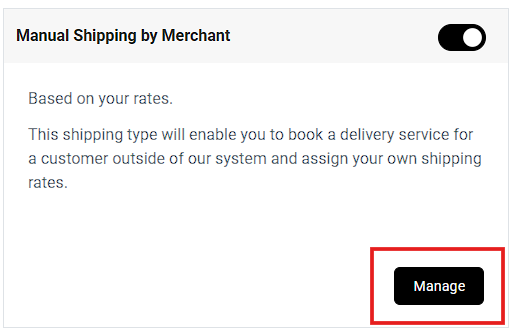

Review and update:
Payment options
Shipping description
Pickup instructions
Pickup address

Click Save.

Result: You have successfully set up Custom Delivery Date to work with Manual Shipping by Merchant, giving your customers a clear delivery date option while keeping Lalamove hidden if you don’t offer it.
Using Manual Shipping by Merchant (CDD ON + Scheduled Delivery OFF):
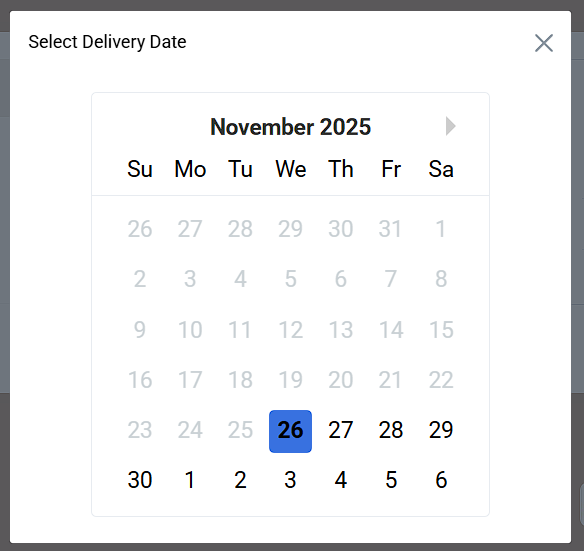
CDD ON + Scheduled Delivery OFF
CDD OFF
Need more help?
For more information and assistance, please send an email to support@prosperna.com.