

Feature Availability: ALL PLANS
The Store Name in the context of a website typically refers to the name given to an online store or e-commerce platform. It is the name by which the online business is identified and distinguished from others. The store name is prominently displayed on the website and often becomes a crucial part of the brand identity.
Why is it important? The store name on a website is a critical component of your overall brand strategy. It influences customer perception, impacts first impressions, and contributes to the overall success of your online business.
Skill Level: Beginner | Advanced | Expert
How long does it take to do? 2 Minutes
Requirements:
Store Name
Summary:
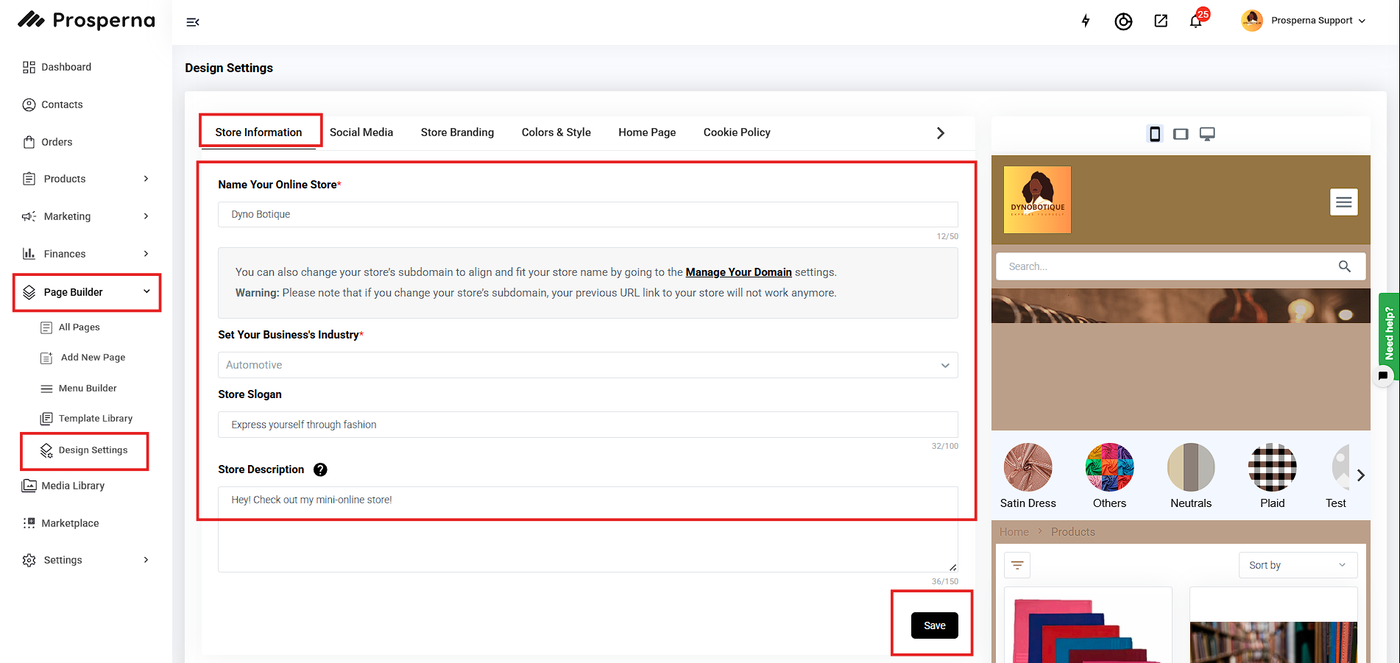
Go to Page Builder, select Design Settings.
Go to Design Settings.
Under Store Information, edit Your Online Store Name.
Click Save.
Steps on Managing your Store Name
1. Go to Page Builder, select Design Settings.
2. Go to Design Settings.
3. Under Store Information, edit Your Online Store Name.
4. Click Save.
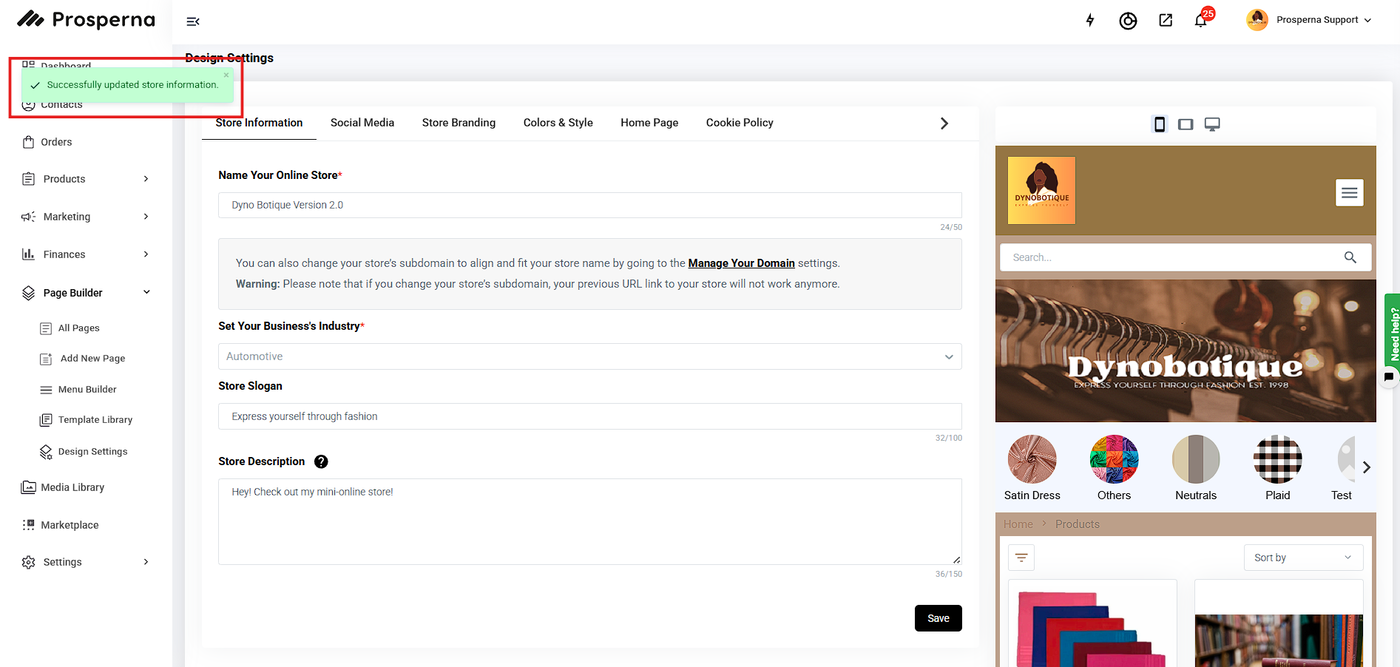
Result: You have succesfully updated your Online Store Name.
Need more help?
For more information and assistance, please send an email to support@prosperna.com.