

Feature Availability: ALL PLANS
Easily track your orders and monitor today's sales with our intuitive dashboard. Stay updated on your business performance at a glance.
Why is it important? It is important because it allows you to quickly assess your business's performance, make informed decisions, and identify areas for improvement.
Skill Level: Beginner | Advanced | Expert
How long does it take to do? 2 Minutes
Summary
Go to the login page.
Click Dashboard.
Explore your Dashboard.
How to Go to Dashboard
1. Go to the login page.
2. Click Dashboard.
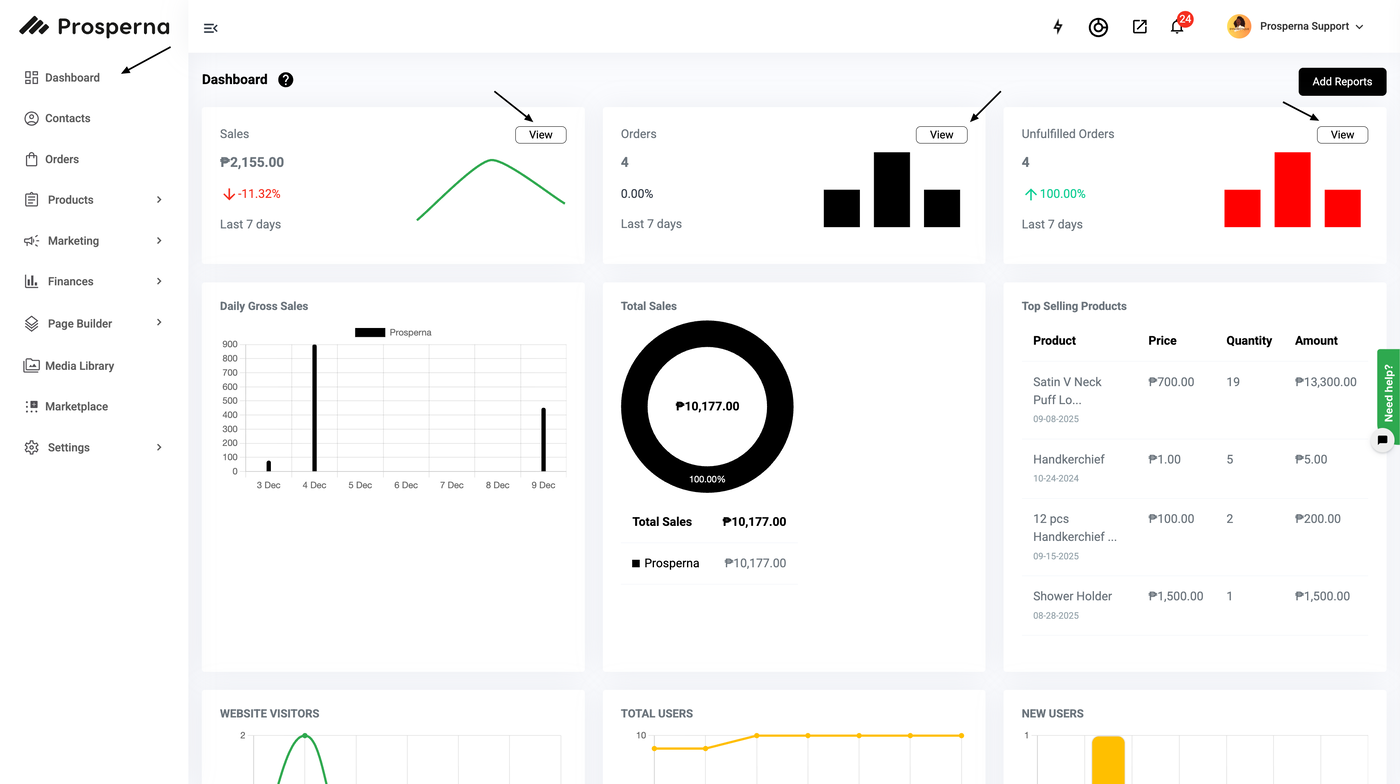
Result: You can now explore your Dashboard.
You can click the "View" button for Sales, Orders, and Unfulfilled Orders.
Once you are able to click the "View" button, you can filter the orders you want to search for, or you can also manually type the order in the search box.
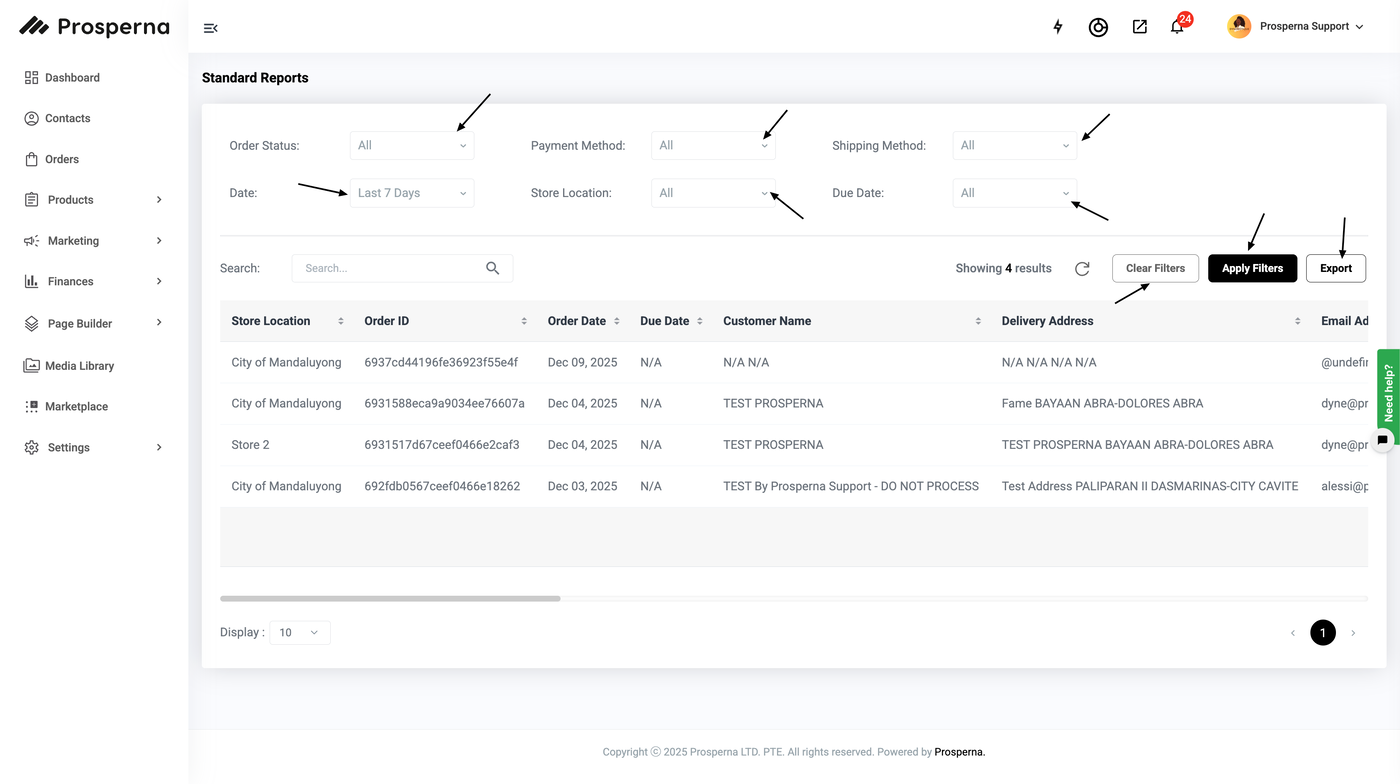
Order Status: Please see Order Status for more information.
Payment Method: Please see About Payments for more information.
Shipping Method: Please see Setup Prosperna Shipping for more information.
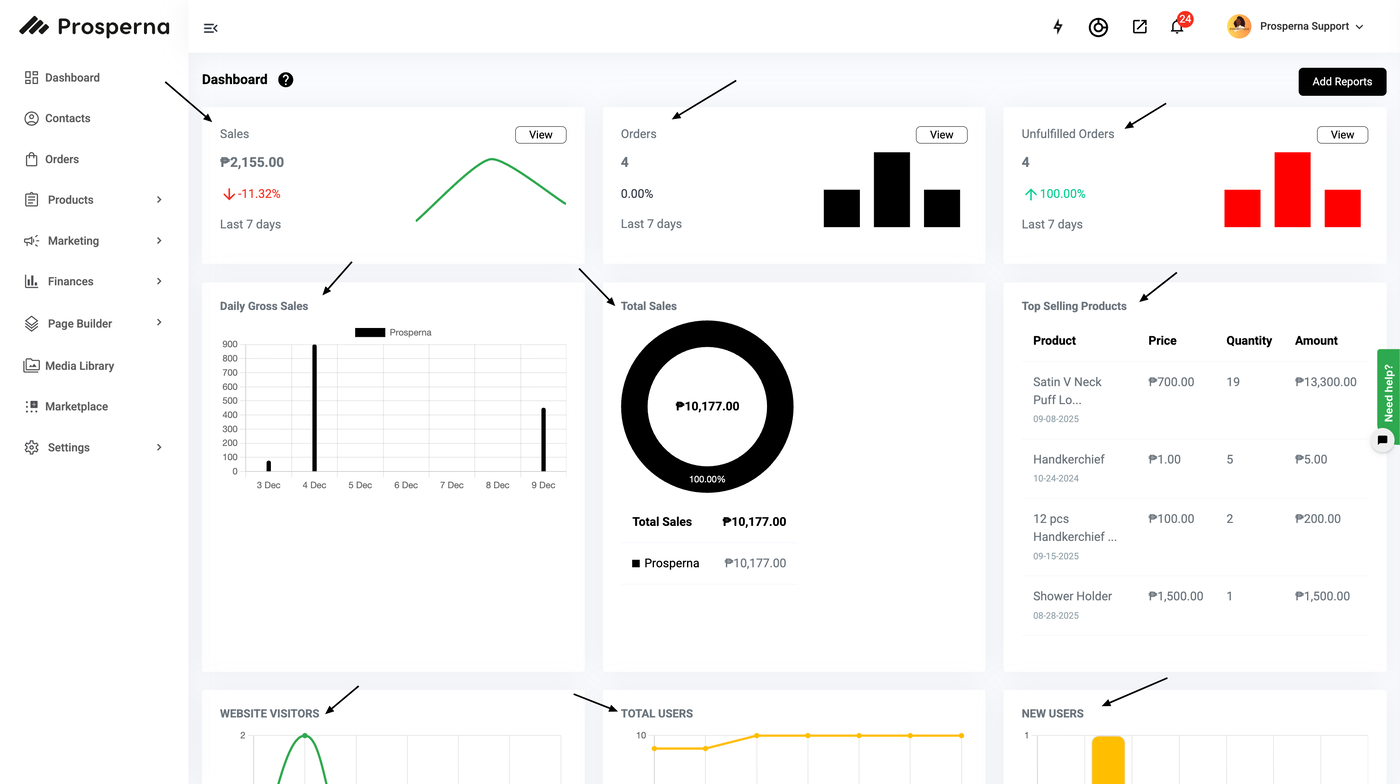
You can track your sales by viewing Daily Gross Sales, Total Sales, Top Selling Products, Website Traffic and Sales by Product Type.
Daily Gross Sales: Gain insights into your daily gross sales with our graph, featuring prices formatted in thousands, dates and color-coding to distinguish sales sources, whether from Prosperna, Lazada, or Shopee.
Learn how to integrate your Lazada and Shopee accounts by visiting these links:
Shopee Integration
Lazada IntegrationTotal Sales: The widget displays a summary of the Total Sales.
Top Selling Products: Explore your top-selling products at a glance, showcasing key details such as product name, price, quantity sold, and total amount generated.
Website Traffic: Monitor your website traffic with our daily views graph, providing insights from Monday to Sunday and throughout the month, highlighting the volume of visitors in thousands.
Sales by Product Type: Gain insights into your sales composition with this pie graph, illustrating the percentage and revenue of Physical and Digital Products.
Need more help?
For more information and assistance, please send an email to support@prosperna.com.