

Feature Availability: ALL PLANS
Changing the status of an order will send an Email notification to your consumer.This is only applicable for Manual Shipping and Store Pickup Shipping Methods in all forms of payment methods used but Shipping methods that involve a courier e.g., (J&T, Lalamove) the system will automatically update the order status.
Why is it important? The Order Status is used to notify your consumer with respect to the tracking of your order and will inform you of the progress of the delivery.
“Completed” orders is also a requirement for disbursement.
Requirements:
Uploaded Products
Verified myPay account
Shipping Setup
Published Store
Ordered Product from Published Store
Summary:
On the left side Panel, go to Orders
Select the Multiple Order ID of the order you're updating
On the Top Right, click “More” to see the drop down list and select Edit Order Status
Select the Bulk Order Status then click “Apply”
Steps on How to Update Order Status
1. On the left side Panel, go to Orders
2. Select the Multiple Order ID of the order you're updating
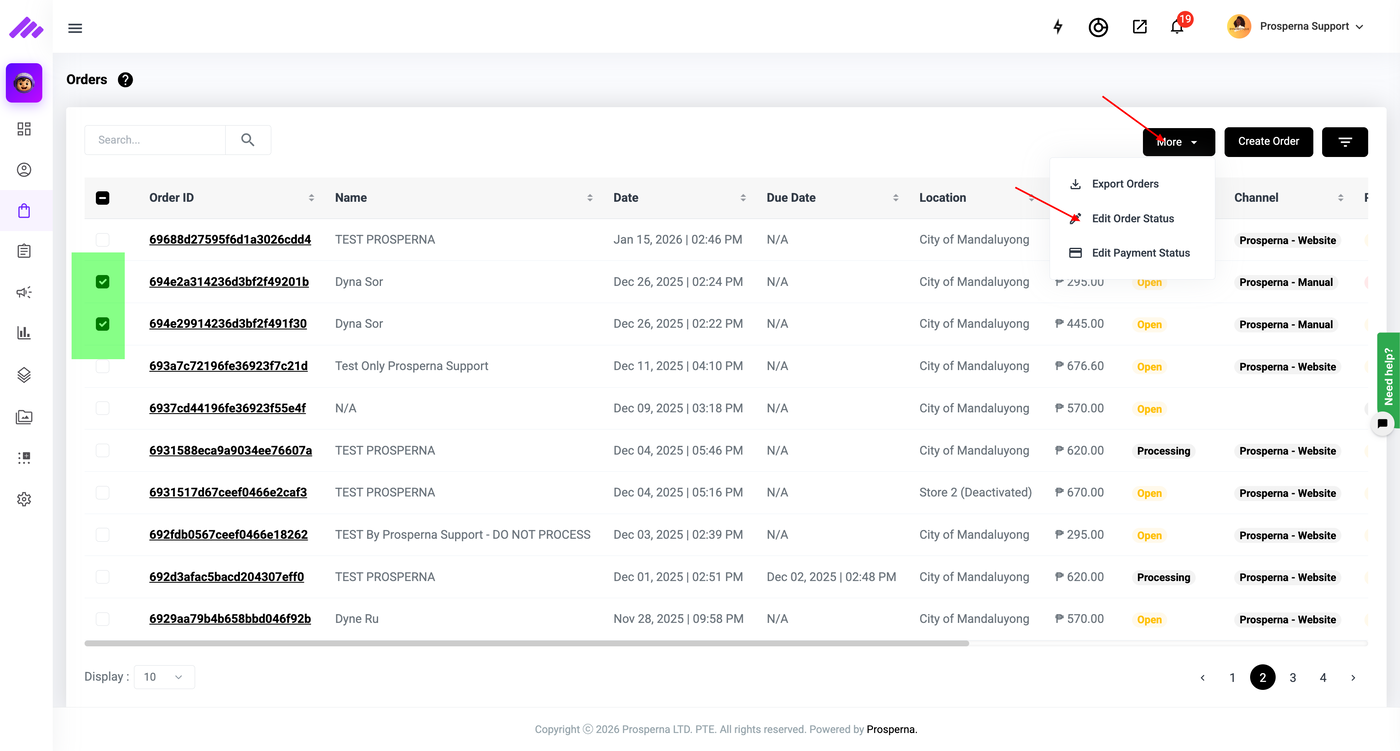
3. On the Top Right, click “More” to see the drop down list and select Edit Order Status
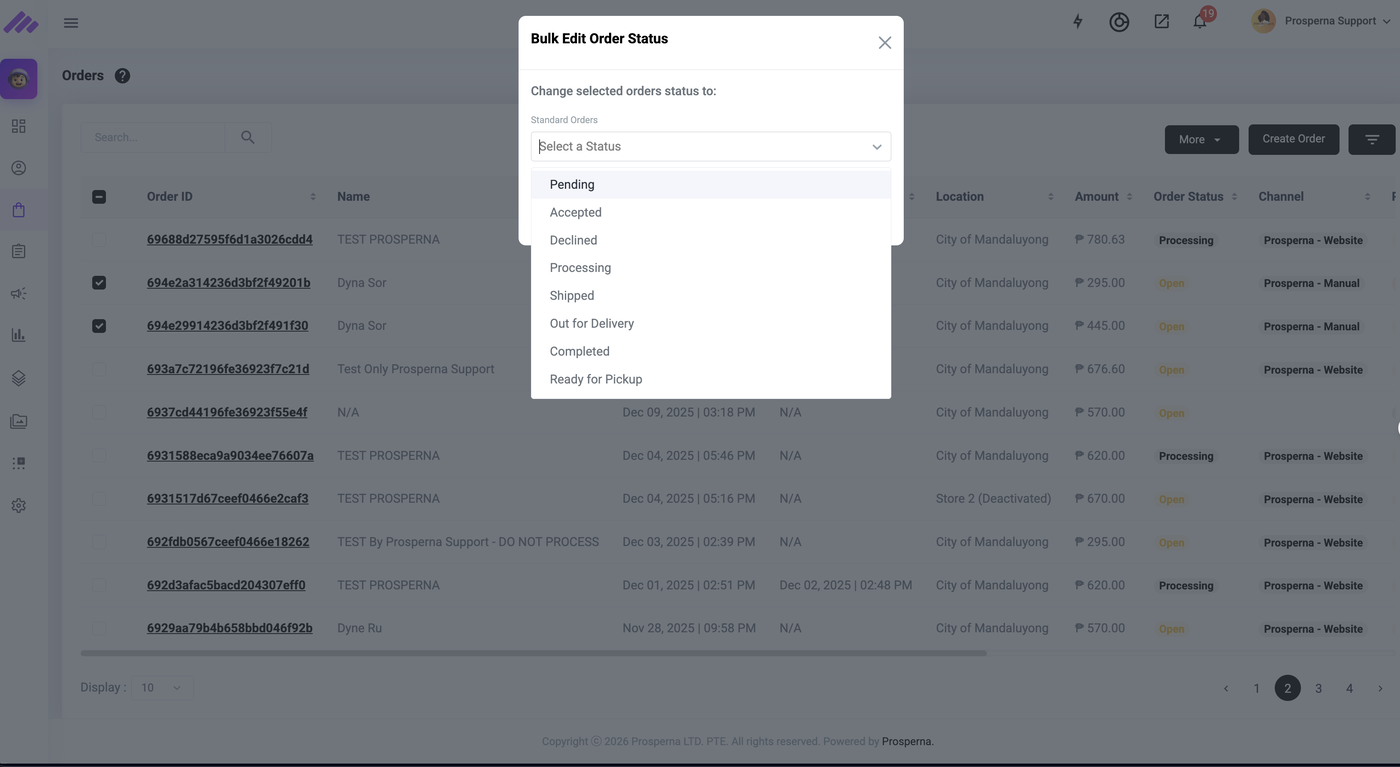
4. Select the Bulk Order Status then click “Apply”
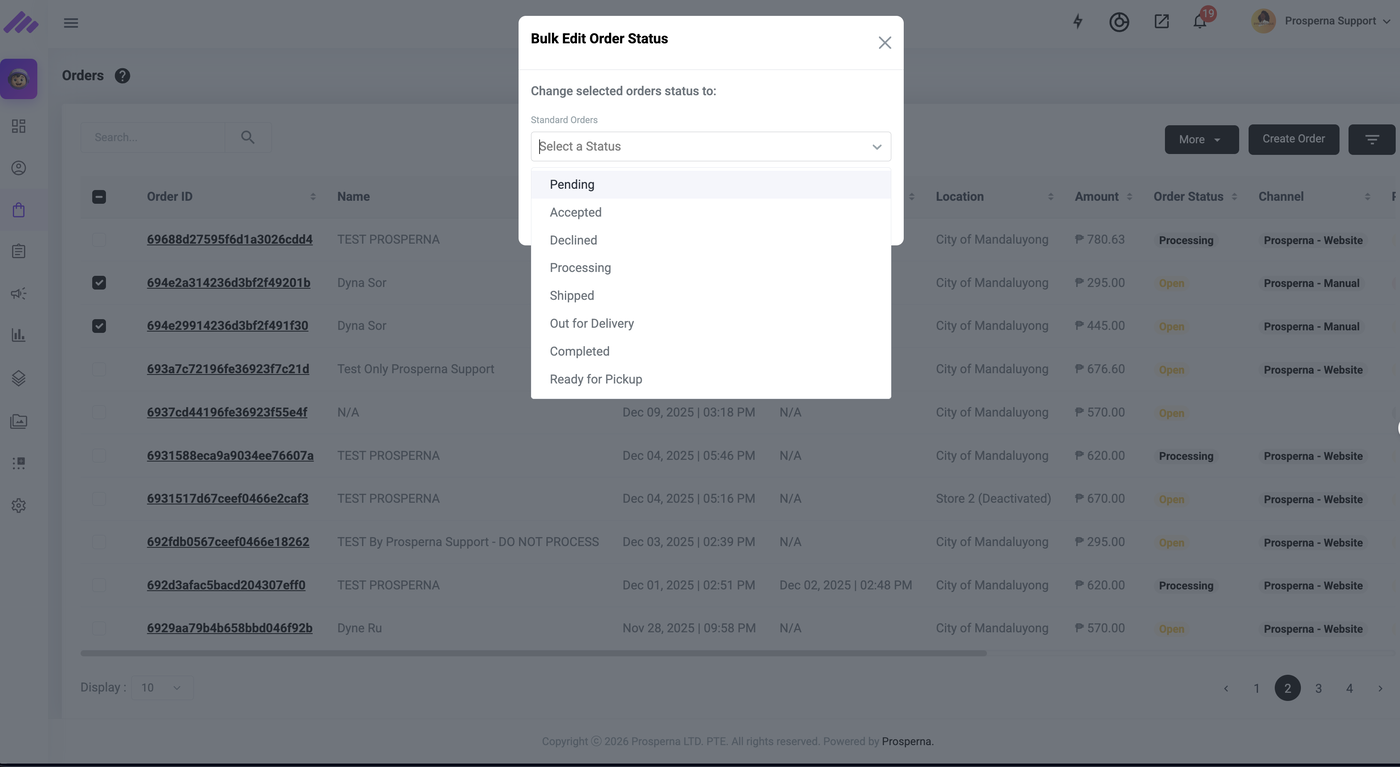
Result: The Order Status is now updated in Bulk.
Note: Changing the status of an order will send an Email notification to your consumer.
Need more help?
For more information and assistance, please send an email to support@prosperna.com.