

Feature Availability: ALL PLANS
Designing your online store is easy but requires careful consideration of both the brand experience you want to create and your business objectives.
Why is it important? A well-designed online store can improve user engagement, increase conversion rates, and ultimately drive sales. It can also enhance brand perception and help establish trust with potential customers.
Skill Level: Beginner | Advanced | Expert
How long does it take to do? 5 Minutes
Looking for a we-do-it-for-you service? Let us know at support@prosperna.com
Summary:
Go to Page Builder and select Design Settings.
Customize your Store Information, Social Media Links, Store Branding, Color Style and Cookie Policy.
Click Save.
Design Settings Main Features:
Store Information
Social Media Links
Store Branding
Color Style
Cookie Policy
Steps to Manage Design Settings
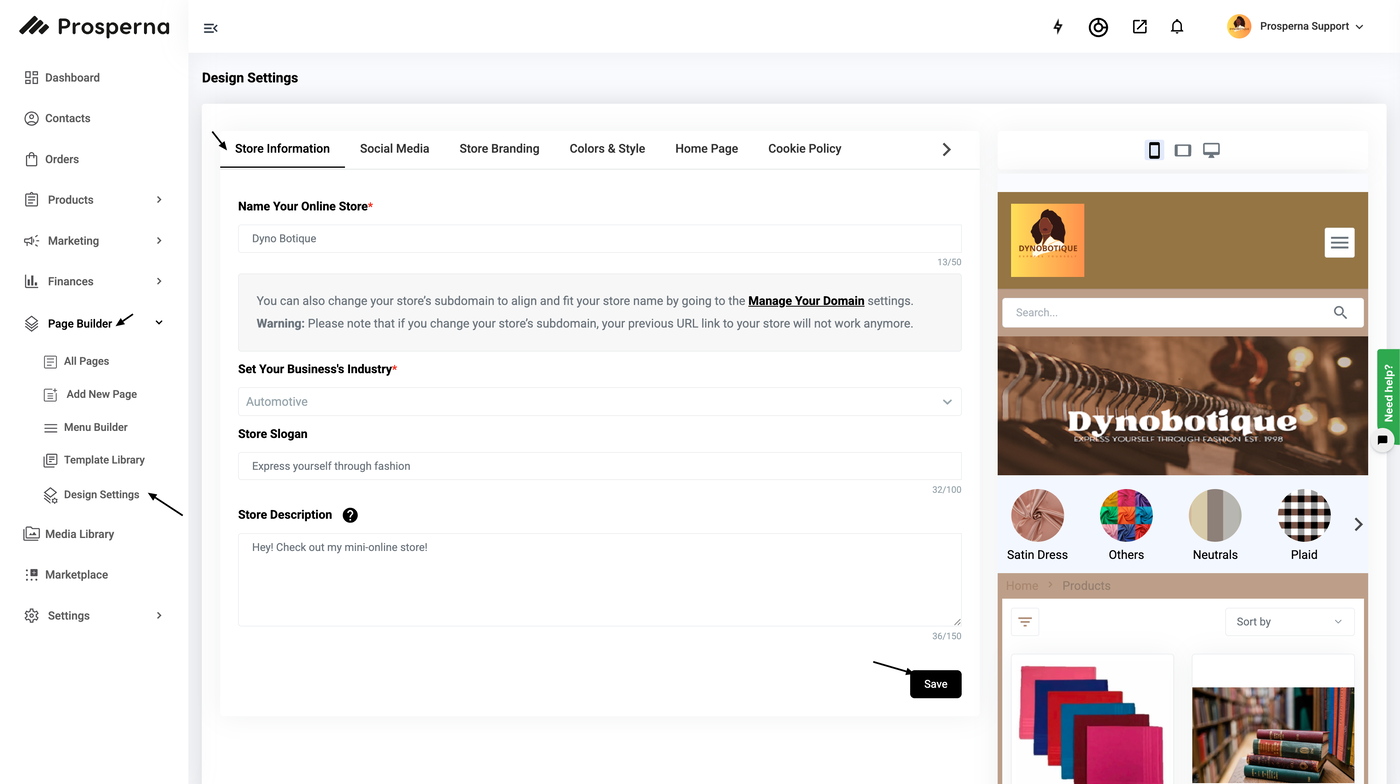
1. Go to Page Builder and select Design Settings.
2. Start to customize your Store Information, Social Media Links, Store Branding, Color Style and Cookie Policy.
2.1 Store Information
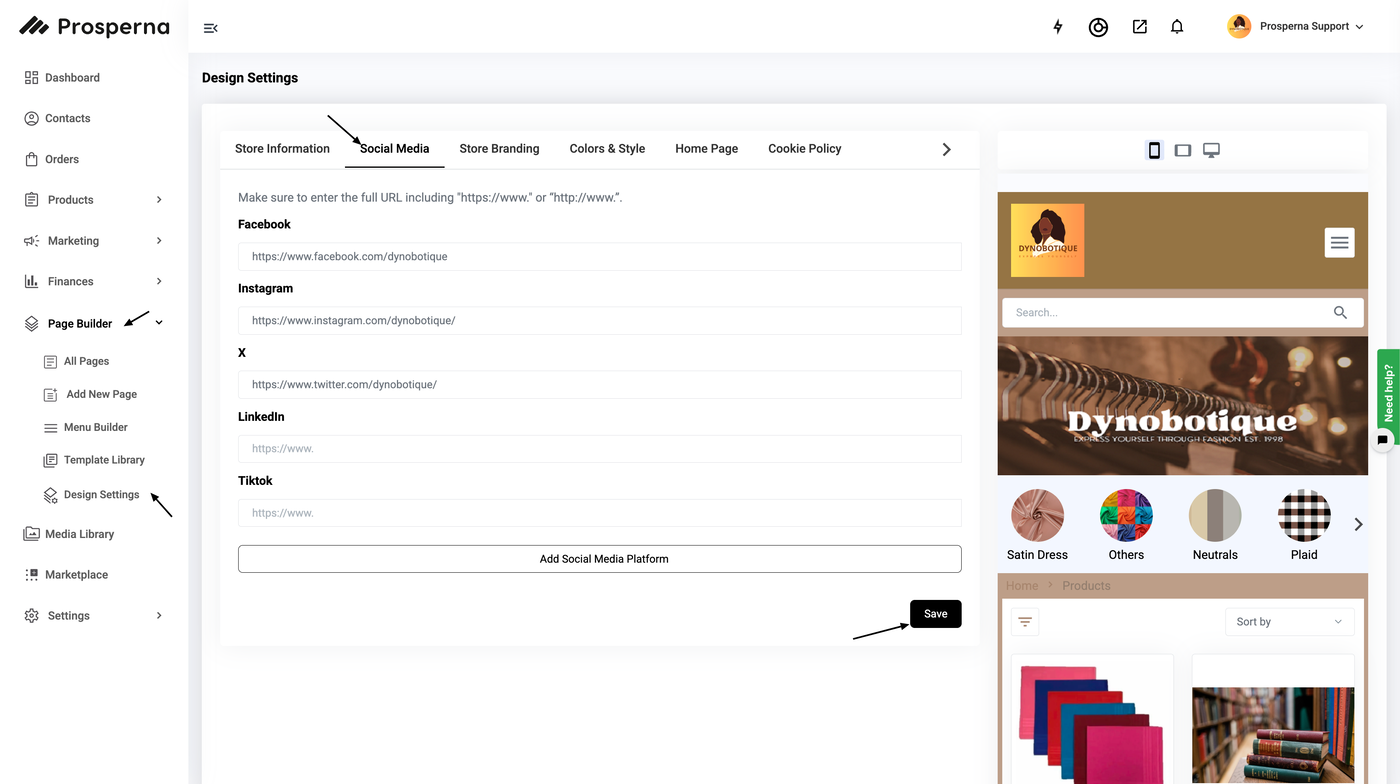
2.2 Social Media Links
Easily customize your social media presence by adding links such as Facebook, Instagram, Twitter, LinkedIn, and TikTok profiles. Simply fill out the provided boxes with your social media links to seamlessly integrate your online platforms with your website.
2.3 Store Branding
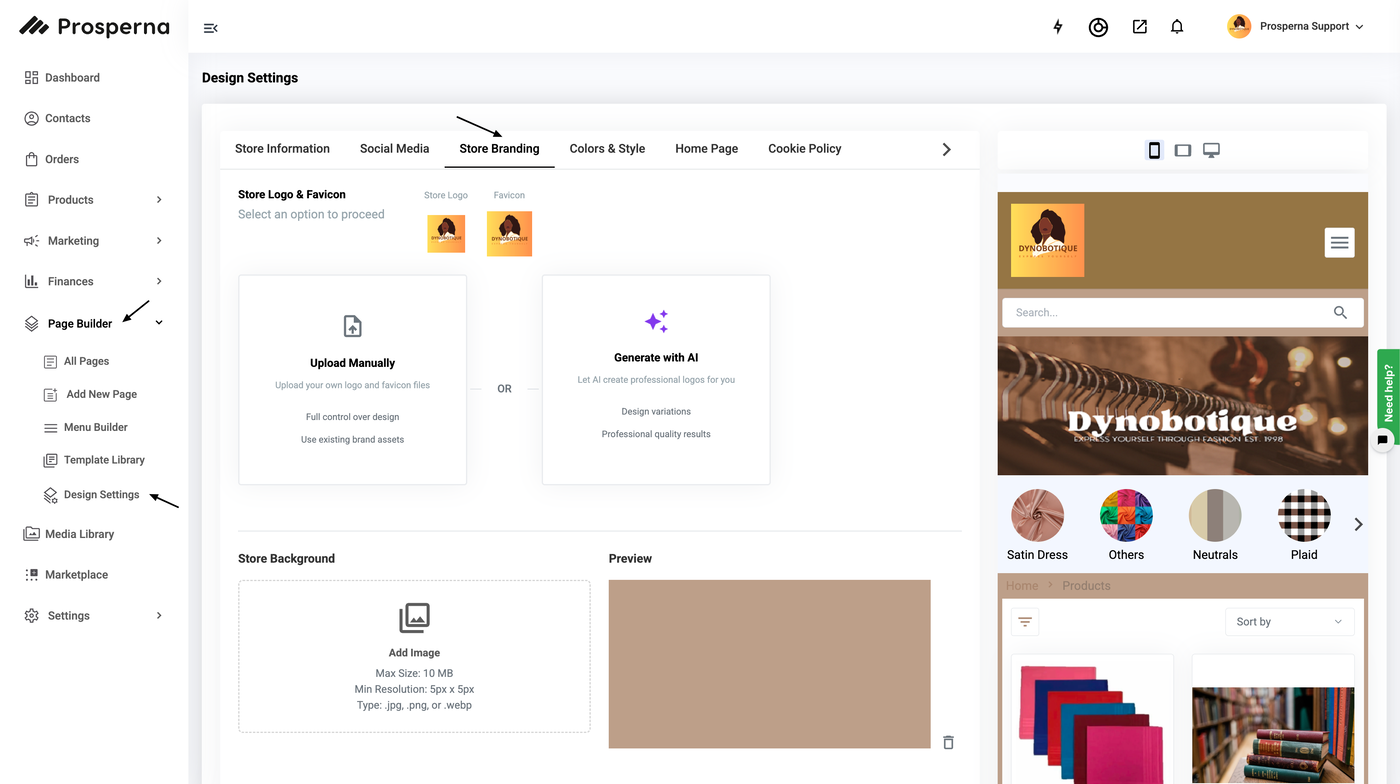
Upload the following files to complete your store design:
Store Logo *
Favicon
Cover Photo Default (Desktop)
Social Media Share Image
Cover Photo (Mobile)
Cover Photo (Desktop - Wide)
Store Background
Ensure that you adhere to the file size and file type requirements. On the right side, you can preview the mobile view and desktop view while designing your page.
2.4 Color & Style
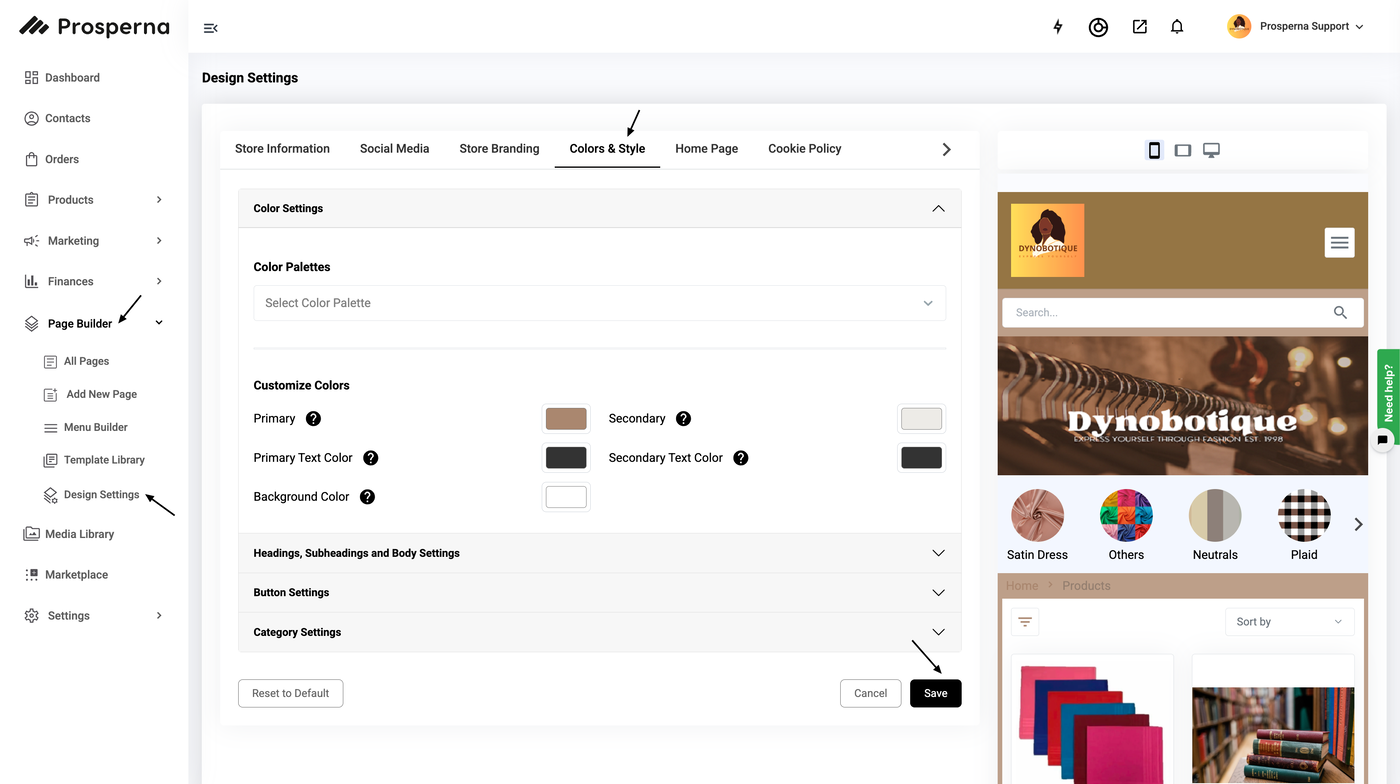
For Color Settings, you can choose your preferred Color Palettes and customize Colors:
For Headings, Subheading, Body, and Footer, you can edit the following settings:
Font Family
Font Size
Font Weight
Font Color
Text Decoration
For Button and Hover, you can edit the following settings:
Font Family
Font Size
Font Weight
Font Color
Background Color
Button Style
Text Alignment
Border Type
For Category Settings, you can edit the following settings:
Link, Hover, Active:Text Position
Font Family
Font Size
Font Weight
Image Display Style:
Style
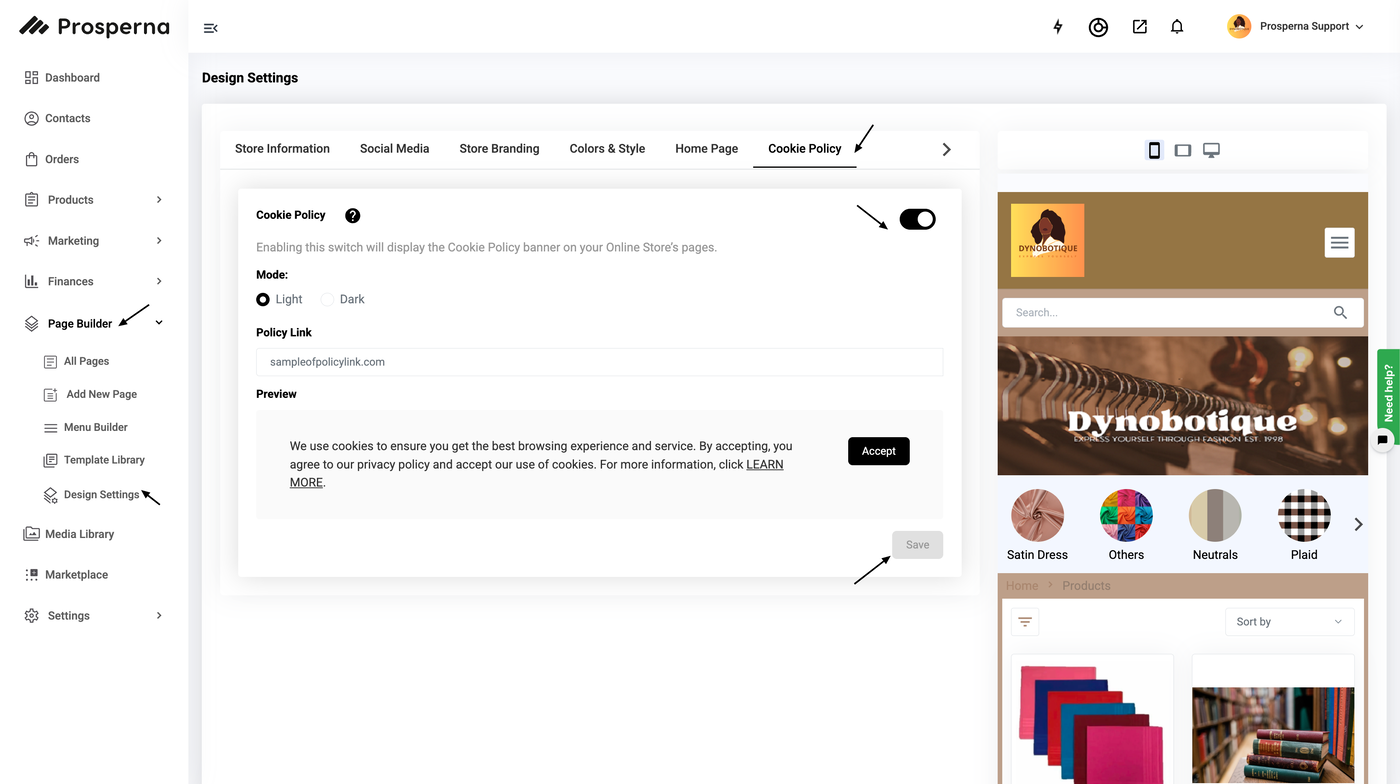
2.5 Cookie Policy
Toggle the on button of the Cookie Policy and paste the Policy Link.
Need more help?
For more information and assistance, please send an email to support@prosperna.com.